Live chat for ecommerce, before the cart is abandoned.
Sizing, delivery and returns questions come up while the shopper is still deciding. Your team answers them on the product page, by chat, call or a shared view.
Free 30-day trial. No card, no automatic charge.

What slows stores down. And what changes when your team answers.
- Problem: Shoppers leave over a small doubt
- With GreetDock: Your team answers on the product page, while they are still deciding.
- Inbox
- Problem: Size guides shoppers skip
- With GreetDock: Point at the right row on the shopper's own screen, with consent.
- Co-browsing with consent
- Problem: Questions after the order arrives
- With GreetDock: Answer fit and delivery questions before checkout, in chat or on a call.
- Calls
Live chat for your ecommerce website. From the first look to the cart.
A shopper deciding on the product page can ask your team. Your team sees who is deciding, answers by chat or a call, and points at the right option.
Step 1 of 4: See who is deciding
- Maya Chen is back
See who is deciding
Your teamShoppers on product, cart and delivery pages appear live, with the page and the time on it. A returning shopper is recognised, so you can say hi first.
Maya Chen is back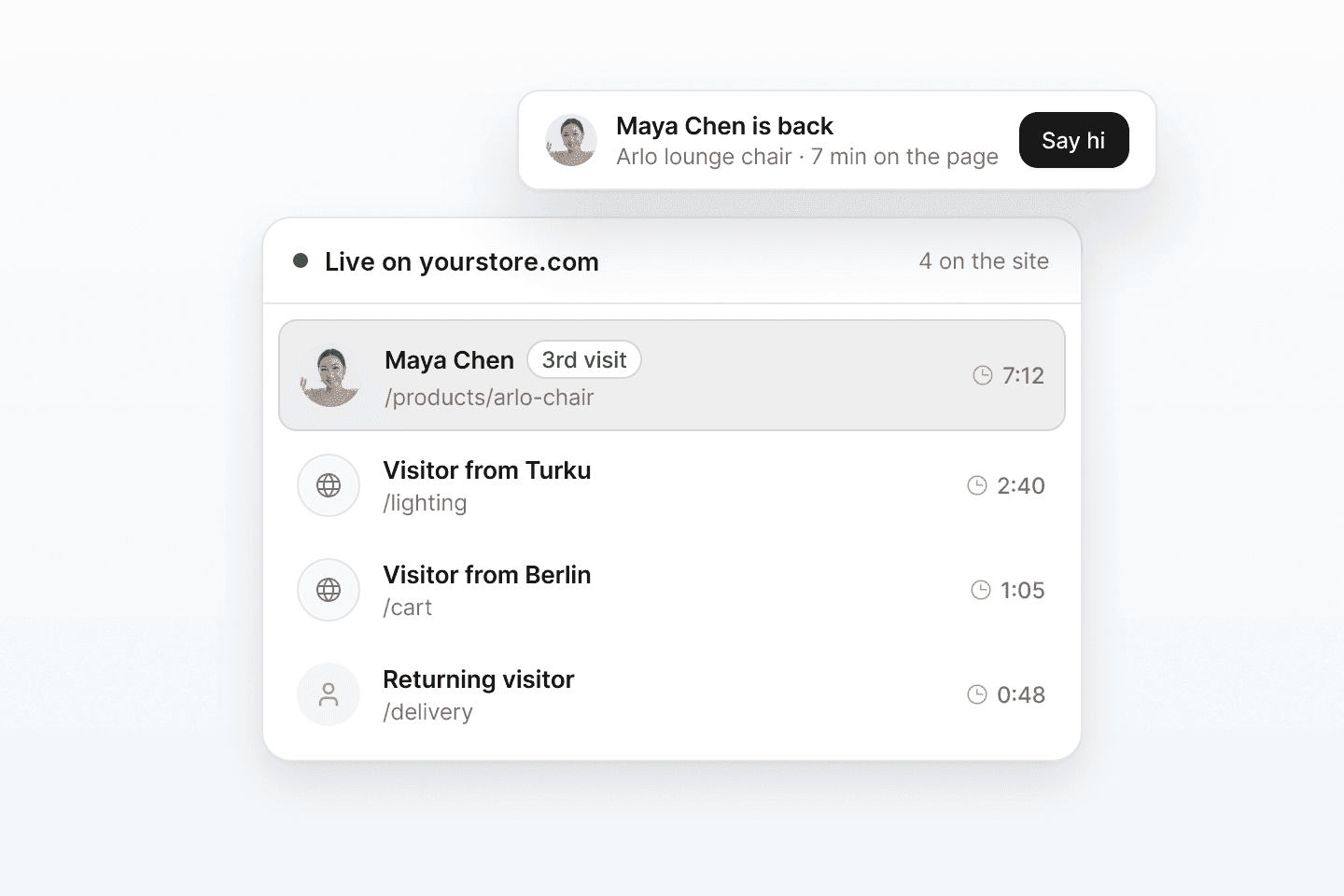
- On /products/arlo-chair
Greet them for the page they are on
BothSet a greeting for each page path, with up to three suggested questions. It shows while a teammate is available.
On /products/arlo-chair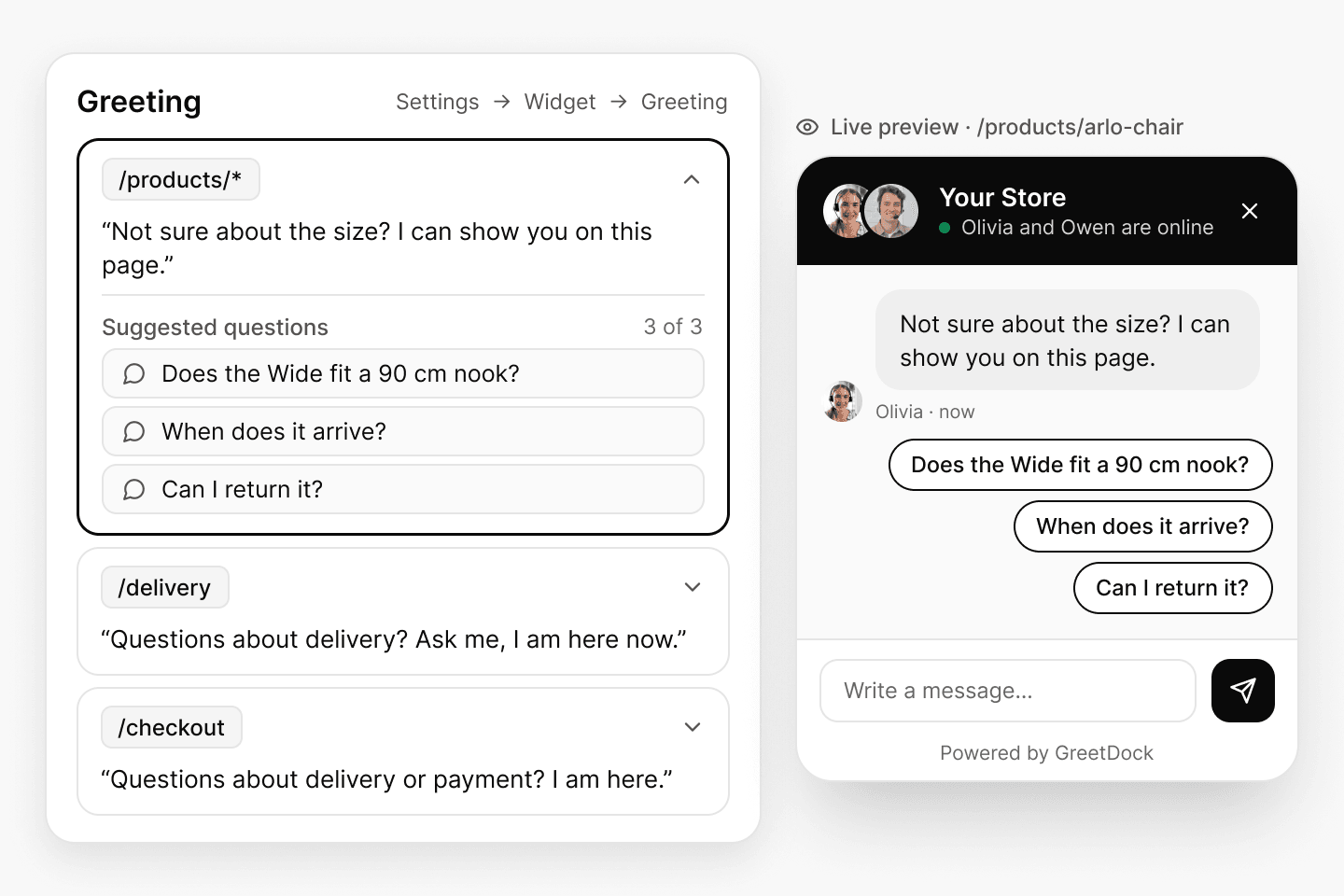
- Maya asks about the Wide
Answer, or offer a quick call
BothReply in the chat, or call from the thread header. The shopper sees your name and face, and taps Accept or Not now.
Maya asks about the Wide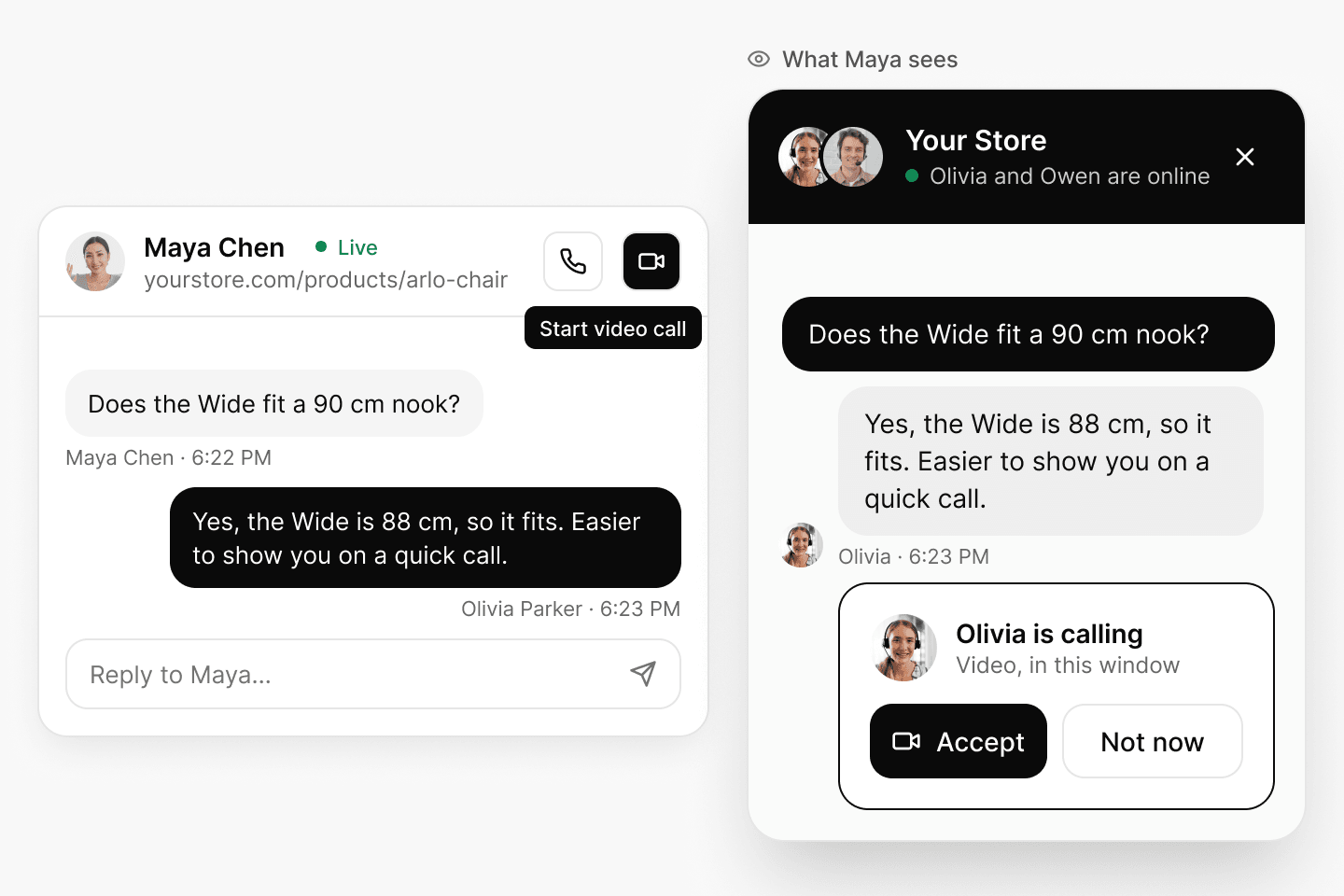
- Spotlight on the Wide
Show the right option on their screen
BothOnce the shopper allows it, your team points at the Wide on their own page. The shopper clicks Add to cart themselves.
Spotlight on the Wide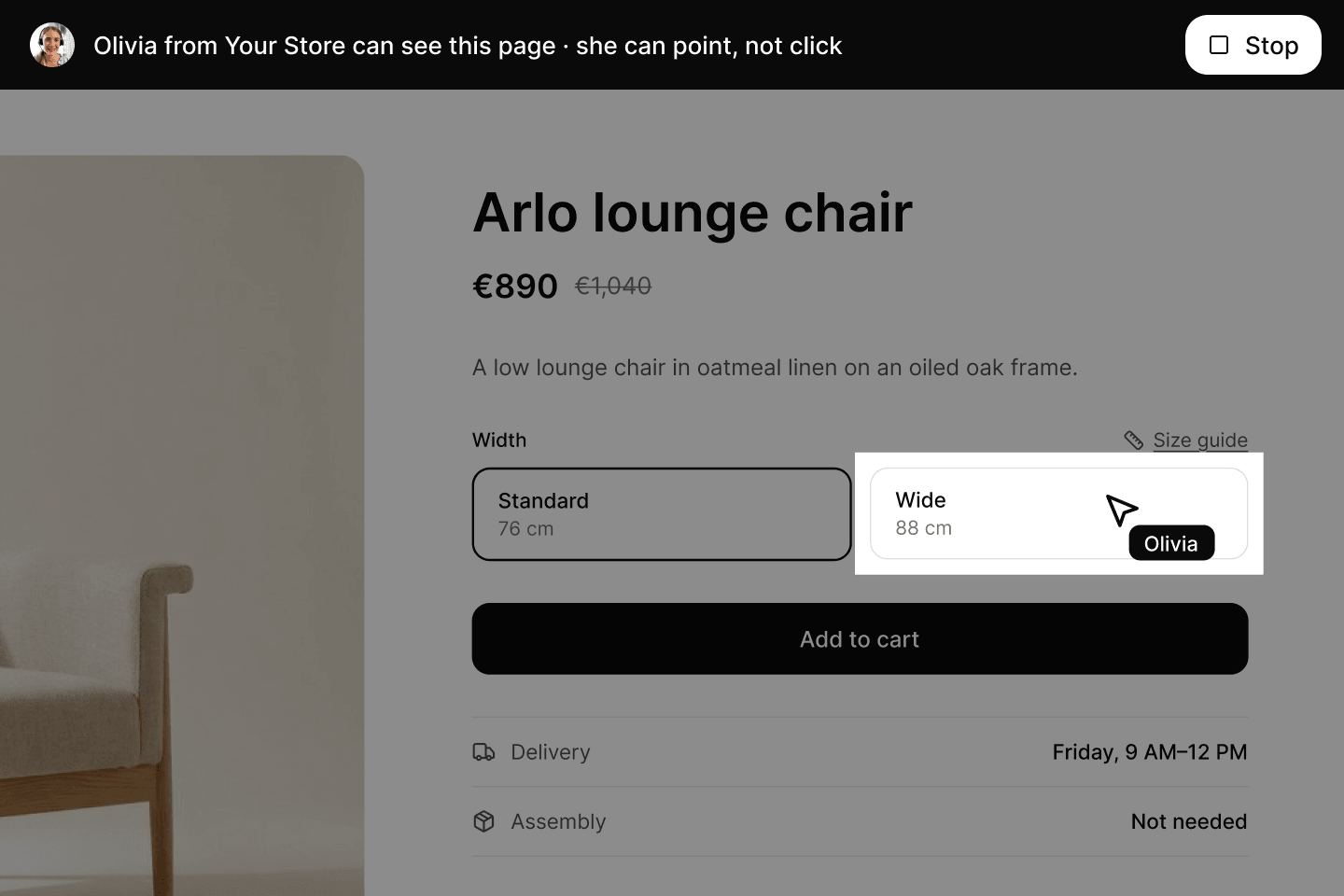


Wednesday's form, Thursday's cart. Maya first visits on Wednesday night.
How the product fits in. Not a customer result.
- 9:40 PMVisitorWednesday: Maya leaves the offline form, asking "Can the Arlo arrive by Friday?"
- 9:02 AMYour teamThursday: Olivia replies by email, from the same thread in the inbox.
- 6:22 PMVisitorThat evening, Maya is back on the Arlo page. After Olivia says hi from the live list, Maya asks whether the Wide fits.
- 6:31 PMVisitorMaya adds the Wide to her cart. Both conversations stay in her one record.
What else works for a store. All of it in the private beta today.
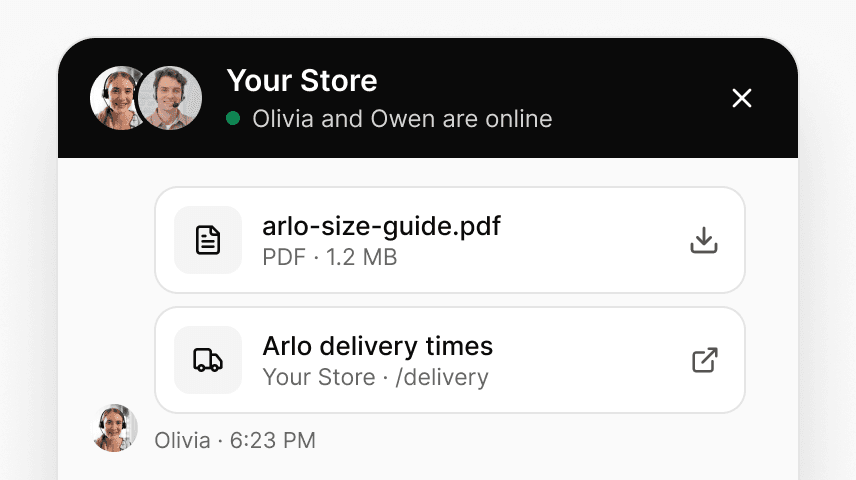
- Size guides in the chat
Send the size guide or a link to the delivery page. The file stays in the chat, also during a call.
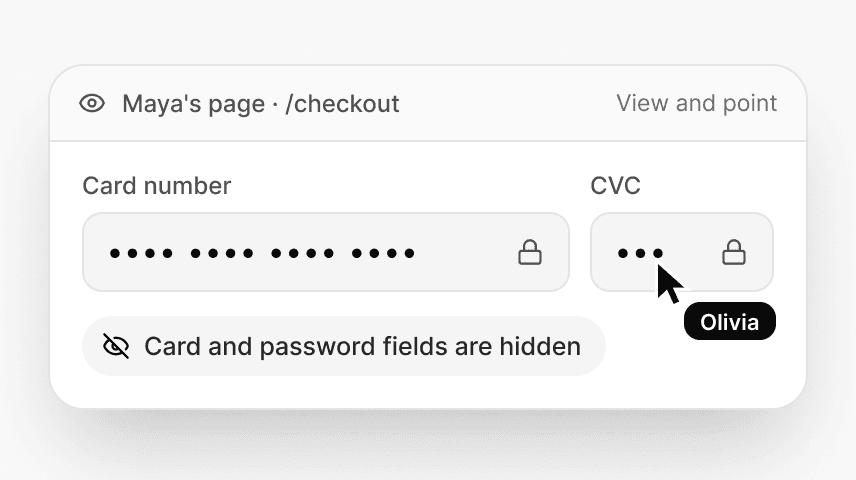
- Card fields on a shared checkout
The card number and CVC show as dots. The layout stays visible, so your team can still point at the right field.
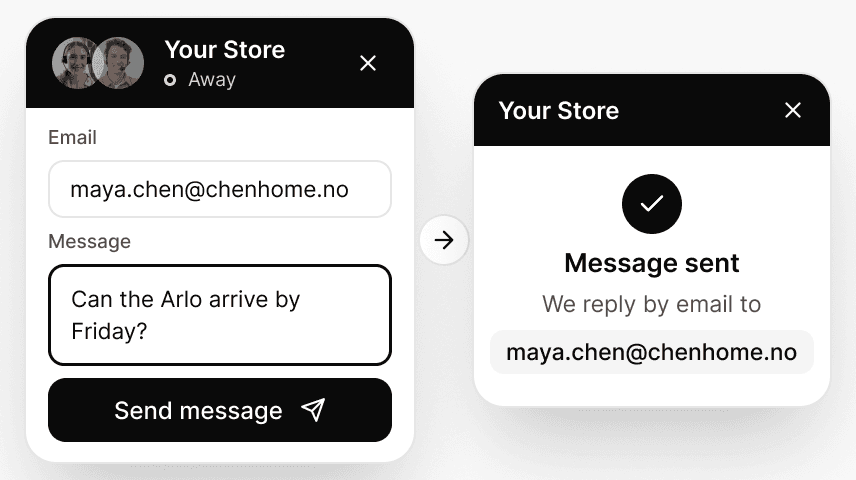
- The offline form after hours
When nobody is online, the shopper leaves an email and a question. The confirmation shows where your reply will go.
- Shoppers on phones
On a phone the chat opens full width from the bottom, and a call runs in the shopper's mobile browser.
- Drafts from your delivery notes
GreetDock drafts replies from your delivery and returns notes. A person on your team edits and sends each one. EU-hosted model.
- Your store's colour and logo
One colour for the header, the launcher and your replies, plus your logo and the faces of who is online.
The live chat widget
One script in your theme. Added in guided onboarding.
Before the first shopper writes
- 01Paste one script in your themeSettings → Install
Copy your snippet and paste it before </body>. On Shopify that is layout/theme.liquid.
- 02Write greetings for product pagesSettings → Widget → Greeting
Add a rule for /products/* with up to three suggested questions.
- 03Set your status to OnlineYour avatar in the inbox
When the last teammate goes offline, the widget shows the offline form.
What the shopper controls
- A greeting they can ignore or dismiss
- Calls only after they tap Accept
- Their page, shared only after Allow for this page
- Card and password fields show as dots to your team
Before you add live chat to your store. What store owners ask.
The products behind it
- Co-browsingShow the product on their screen, with consent.
- WidgetYour colours, your team's faces and the offline form.
- CallsWhen the question is quicker to talk through.
For sales teams: B2B sales, Conversations from your site, Questions before the call, Sales handoff
By industry: SaaS, Logistics software, Fintech, Cybersecurity, HR and payroll software
Other teams: Support teams, Agencies
Comparing tools? GreetDock vs Gorgias, GreetDock vs Gladly, GreetDock vs Tidio, GreetDock vs Crisp