One inbox, every client site.
Answer for every client from one place, each conversation tagged by site.
Free 30-day trial. No card, no automatic charge.

What slows agencies down. And what changes with one inbox.
- Problem: A different chat tool per client
- With GreetDock: One workspace, one script per site, every conversation labelled by site.
- The live chat widget
- Problem: Reports built from screenshots
- With GreetDock: Ask the records what visitors asked, over MCP.
- MCP access
- Problem: Paperwork for every client
- With GreetDock: One GreetDock DPA for the workspace, with the client-site terms written in.
- Security
Live chat for multiple websites, one workspace. From script to client report.
Agencies run many sites. GreetDock gives your team one workspace and one inbox for every client site, with each conversation labelled by site.
Step 1 of 4: Install on each client site
- 5 sites live
Install on each client site
Your teamEach client site has its own snippet with its domain. Settings → Install shows when the widget last loaded on each one.
5 sites live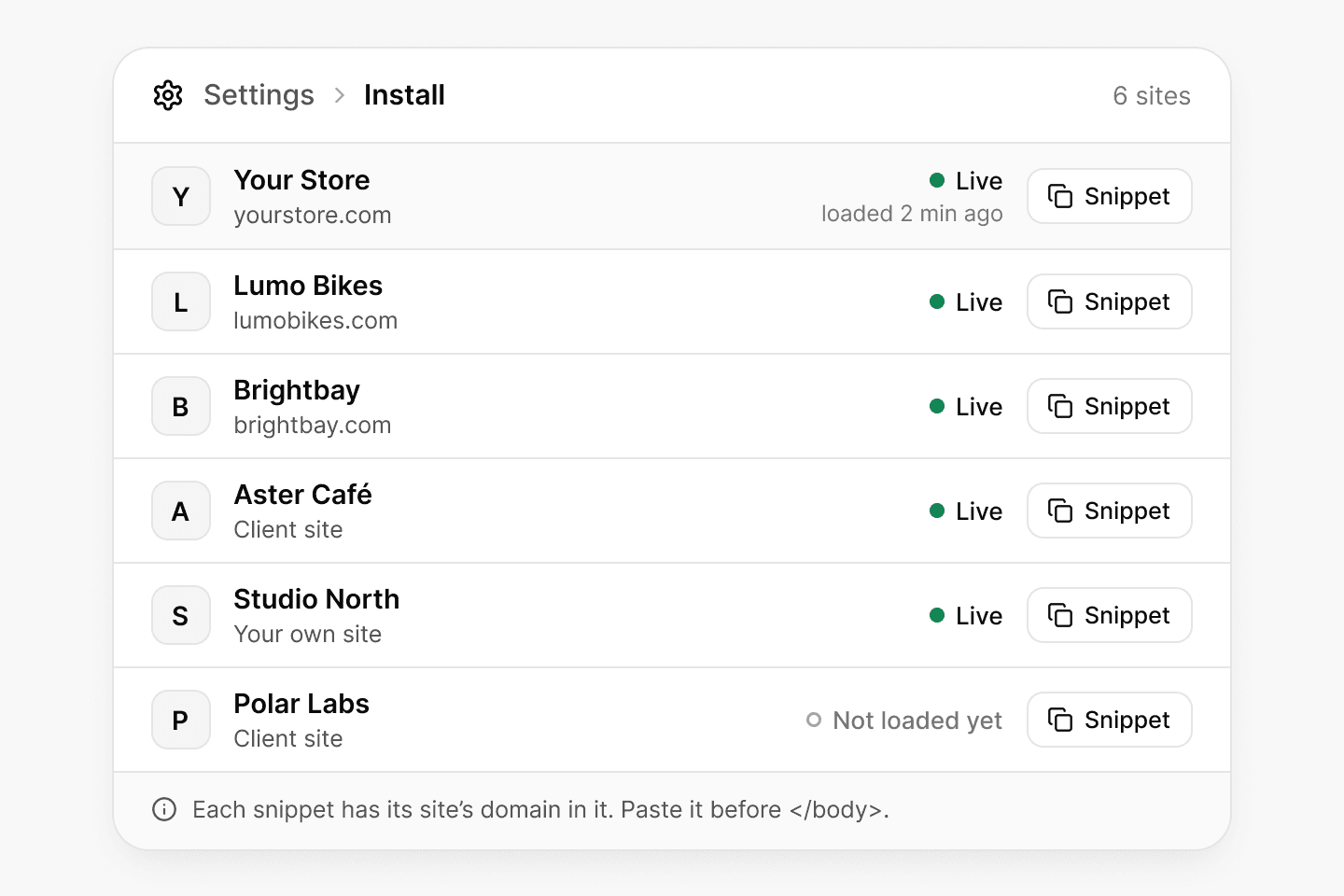
- Lumo Bikes · /bikes/trail-2
Answer from one inbox, labelled by site
Your teamEvery thread shows the client site and the page the visitor is on, so your team answers for the right client.
Lumo Bikes · /bikes/trail-2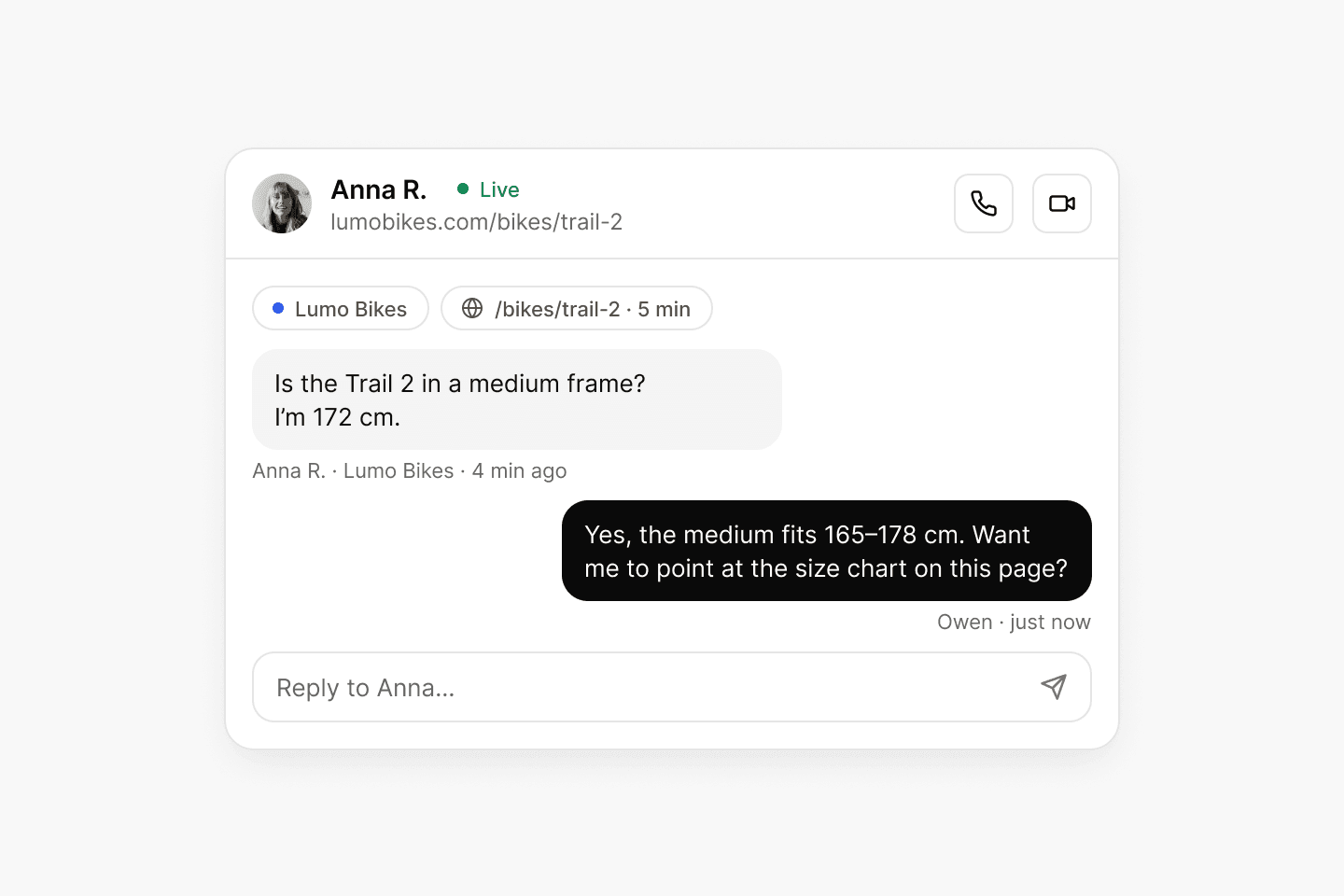
- /bikes/*
One look, a greeting per page
BothColour, logo and name are set once for the workspace. Greetings change with the page path, with up to three suggested questions.
/bikes/*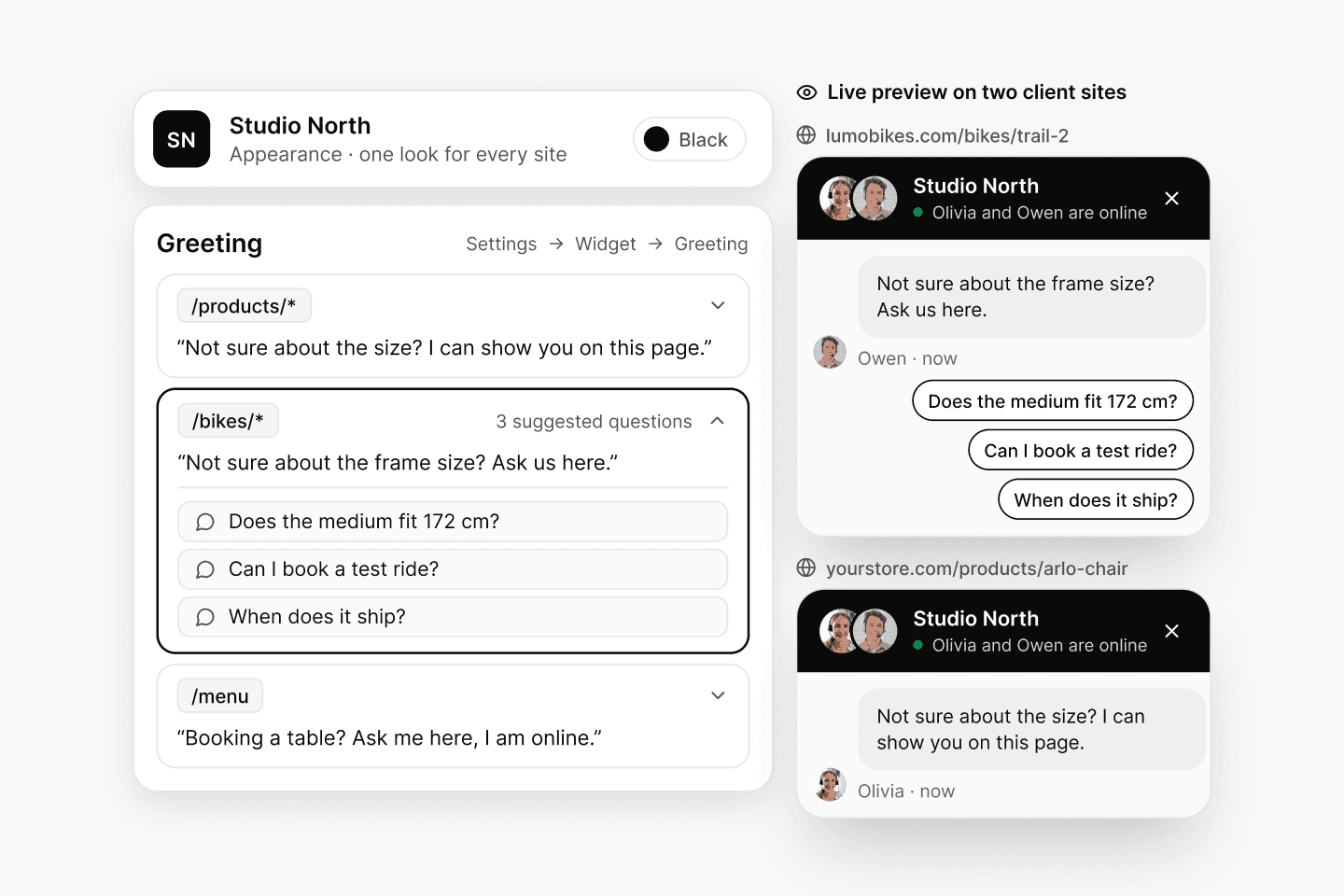
- Read-only token
Report per client over MCP
Your teamAsk your AI tool what one client's visitors asked this month. It reads conversations filtered by site, with a read-only token.
Read-only token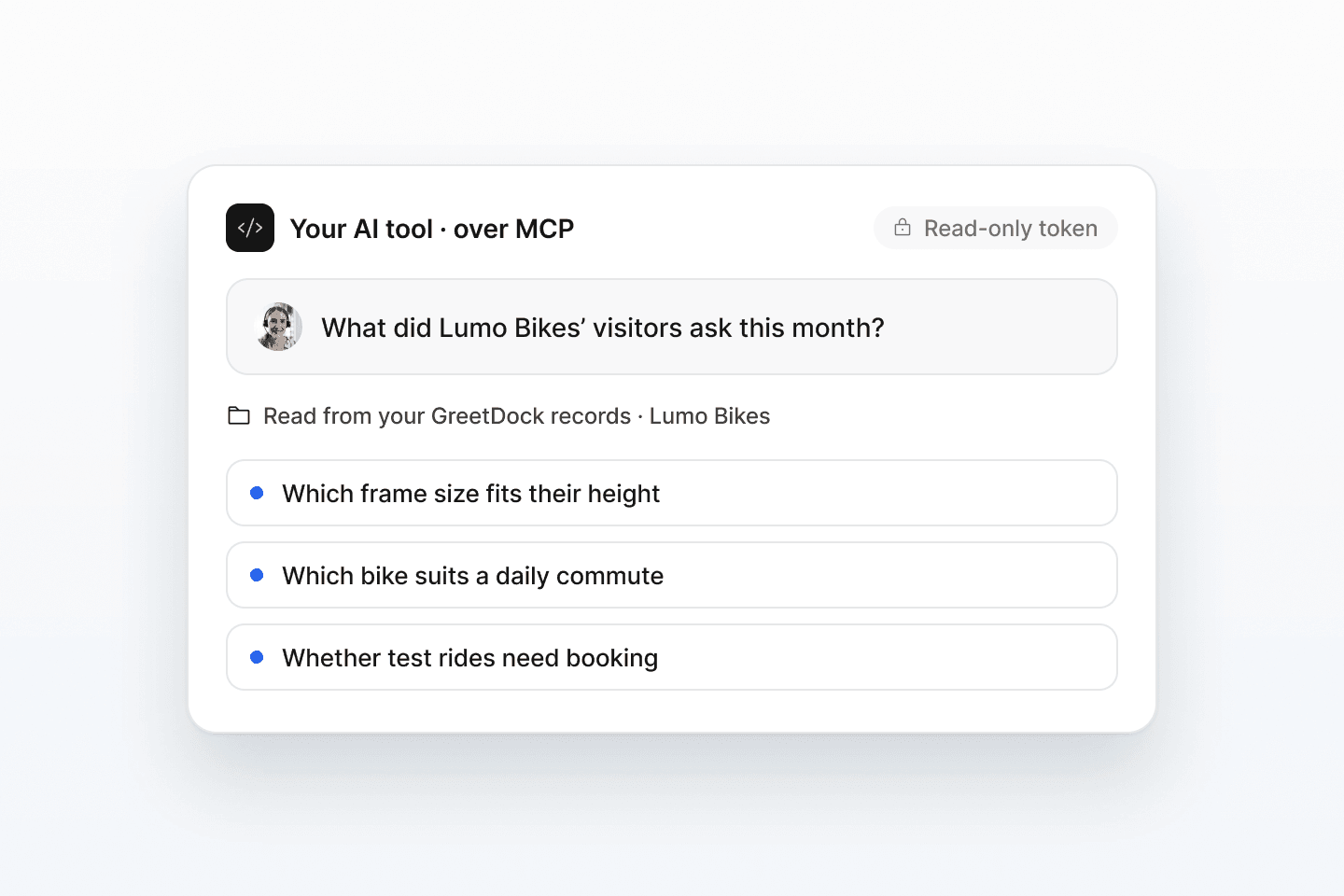


One morning, four client sites. Studio North answers chat for client sites.
How the product fits in. Studio North and its clients are fictional.
- 9:00 AMYour teamOwen opens one inbox with conversations from four client sites.
- 9:12 AMVisitorOn Lumo Bikes' Trail 2 page, Anna R. asks whether the medium frame fits her.
- 9:16 AMYour teamOwen answers, with the Lumo Bikes site and page on the thread.
- 31 OctGreetDockOlivia's AI tool reads October's Lumo Bikes conversations over MCP, read-only.
What else an agency needs. In the private beta, for every client site.
- Records by client site
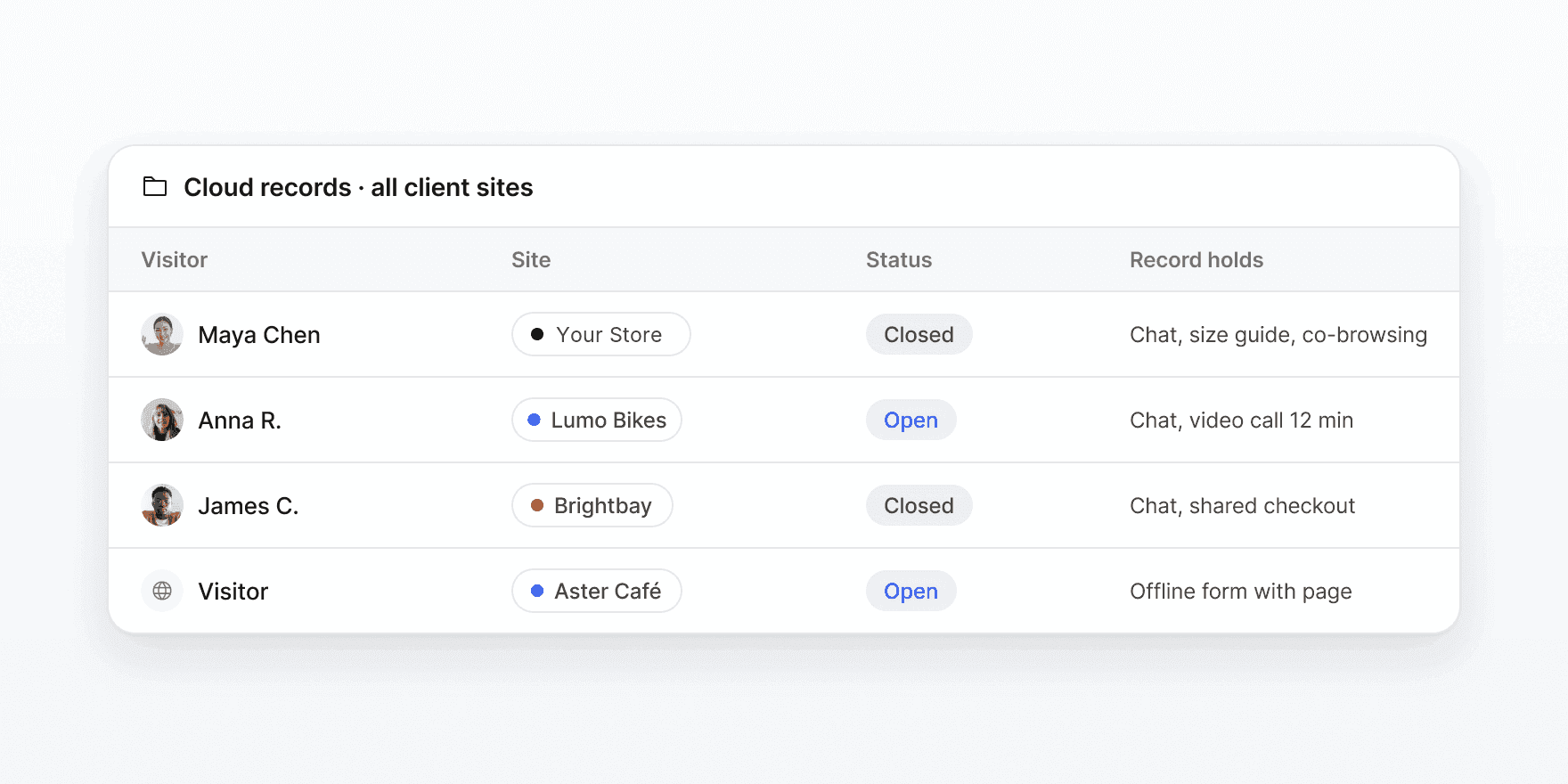
Every record shows the site it came from: the visitor, the thread, any call and the files.
- Every site in one workspace
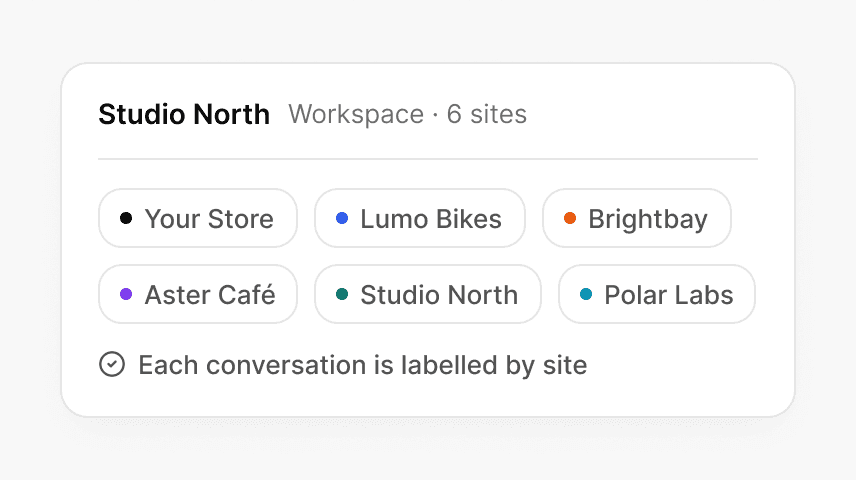
Your own site and each client site sit in one workspace, and every conversation carries its site's name.
- One DPA for the workspace
One GreetDock DPA covers your own site and each client site. For a client site, you confirm its written authorisation, and its privacy notice names GreetDock.
- Roles for your team
Owners and admins manage sites, widget settings and MCP tokens. Teammates answer but cannot change settings. Roles cover the whole workspace, not one site.
- An offline form on every site
When nobody is online, each site's widget switches to the offline form. Replies go by email.
One snippet per client site. Guided setup, with a guide for every step.
For each client site
- 01Copy each site's snippetSettings → Install
Each site has its own snippet, with the site's domain already in it.
- 02Paste it before </body>The client's site template
Then check Settings → Install: each site shows when the widget last loaded.
- 03Set one look, then greetingsSettings → Widget
Colour, logo and name for the workspace, then a greeting for each page path.
The same on every client site
- One colour, logo and name for the workspace
- The same consent request before any page is shared
- Calls only after the visitor accepts
- Team notes never reach any widget
Before you add client sites. What agencies ask.
The products behind it
- WidgetSet the colour, logo and greetings once.
- InboxEvery client site in one inbox.
- IntelligenceAsk your AI tool about one client's month.
For sales teams: B2B sales, Conversations from your site, Questions before the call, Sales handoff
By industry: SaaS, Logistics software, Fintech, Cybersecurity, HR and payroll software
Other teams: Online stores, Support teams
Comparing tools? GreetDock vs tawk.to, GreetDock vs Crisp