Private team notes, inside the visitor's thread.
Consult a colleague without leaving the conversation. The visitor never sees the notes.
Free 30-day trial. No card, no automatic charge.

Two lanes, one composer. Reply to the visitor, or note the team.
Team chat sits inside each visitor thread. Ask a colleague there, and the visitor never sees it.
Step 1 of 3: Switch lanes in one tap
- Reply or Team note
Switch lanes in one tap
Your teamIn the reply box, switch from Reply to Team note. Team notes carry a tint and a lock, so nobody mistakes them for a reply.
Reply or Team note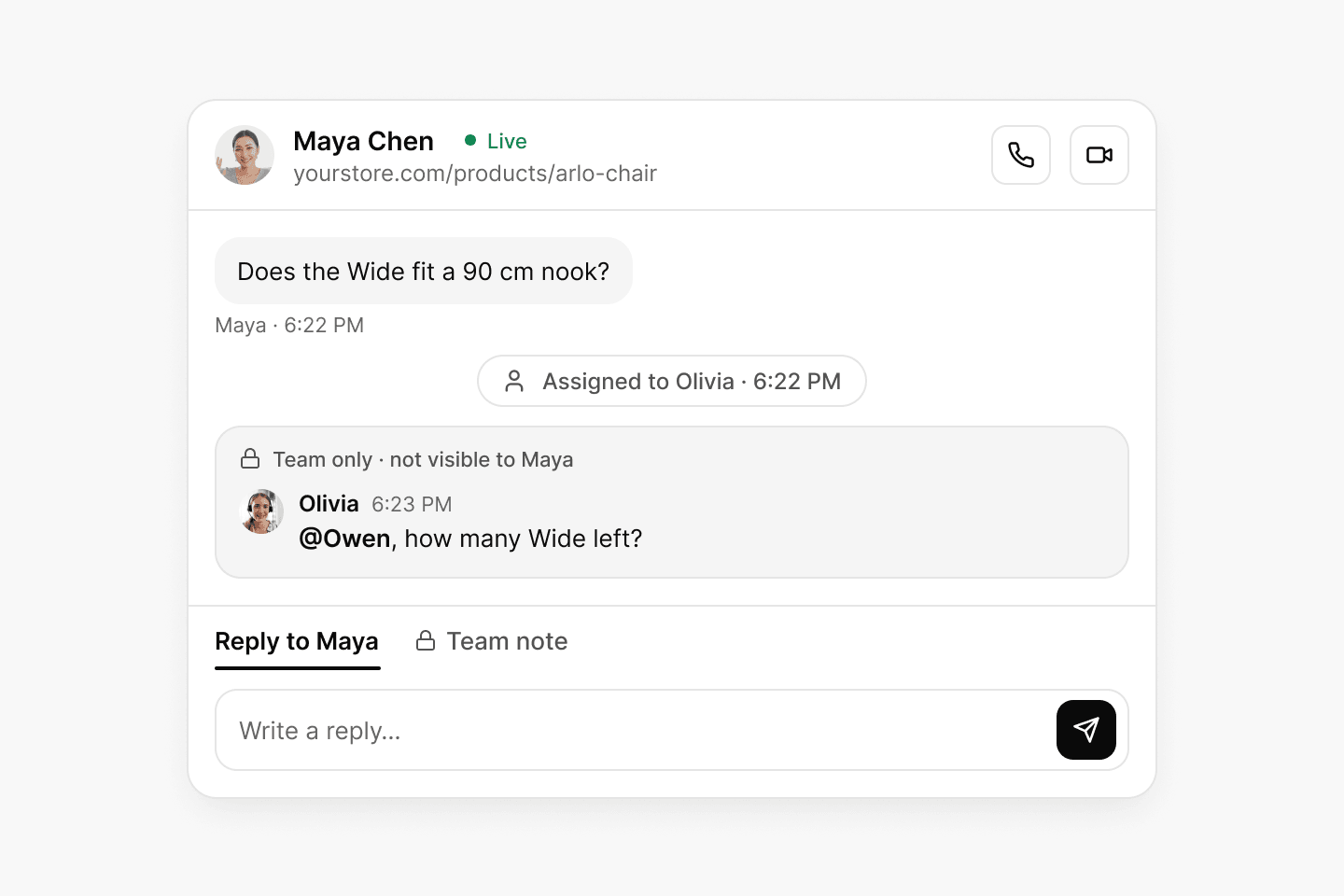
- @Owen
Pull in the right person
Your teamType @ and pick a colleague. They are notified and answer in the same lane, even when the thread is yours.
@Owen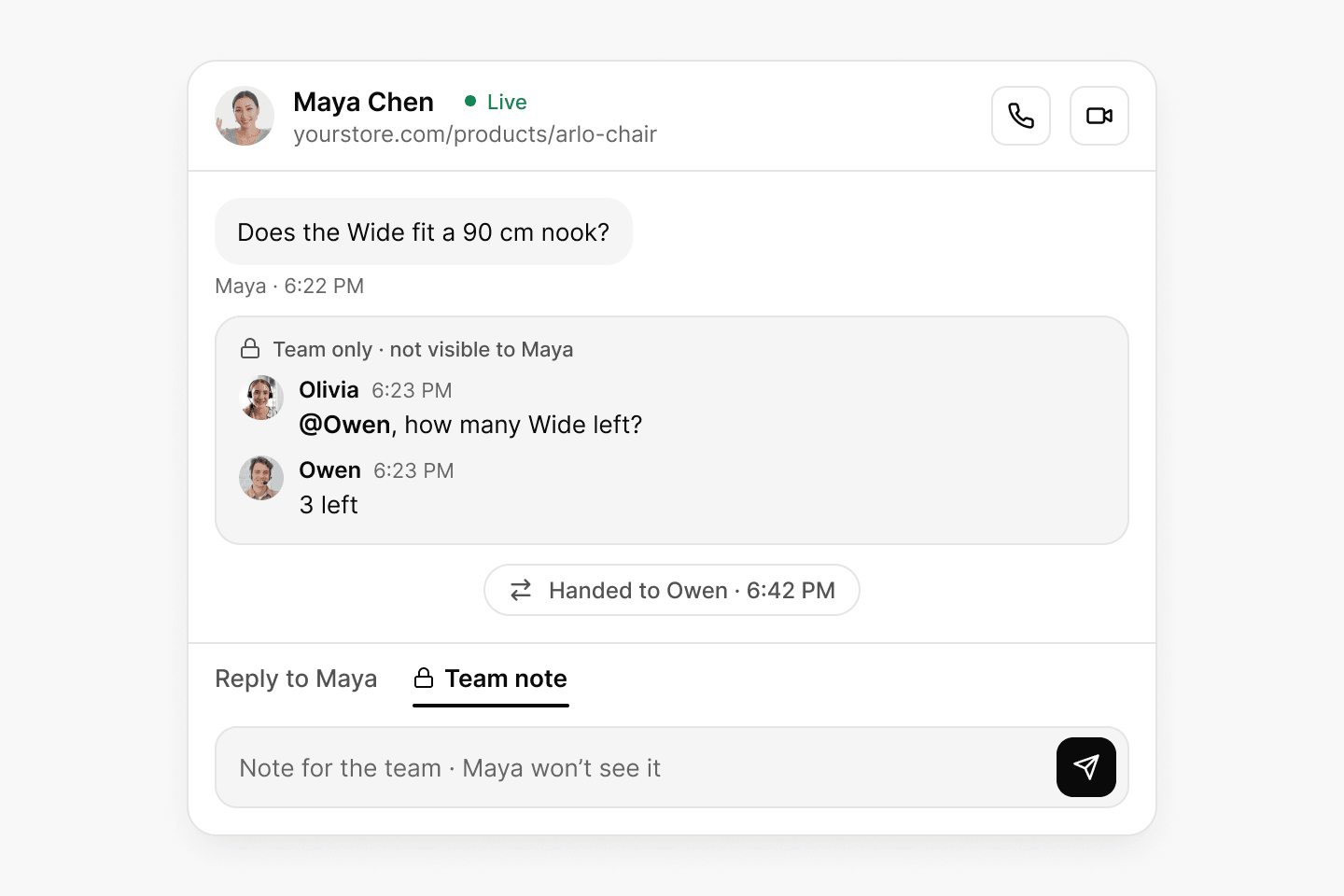
- Saved to Maya's record
Decisions stay on the record
Your teamTeam notes stay in the visitor's record beside the thread, the call and the files, so the context survives a handover.
Saved to Maya's record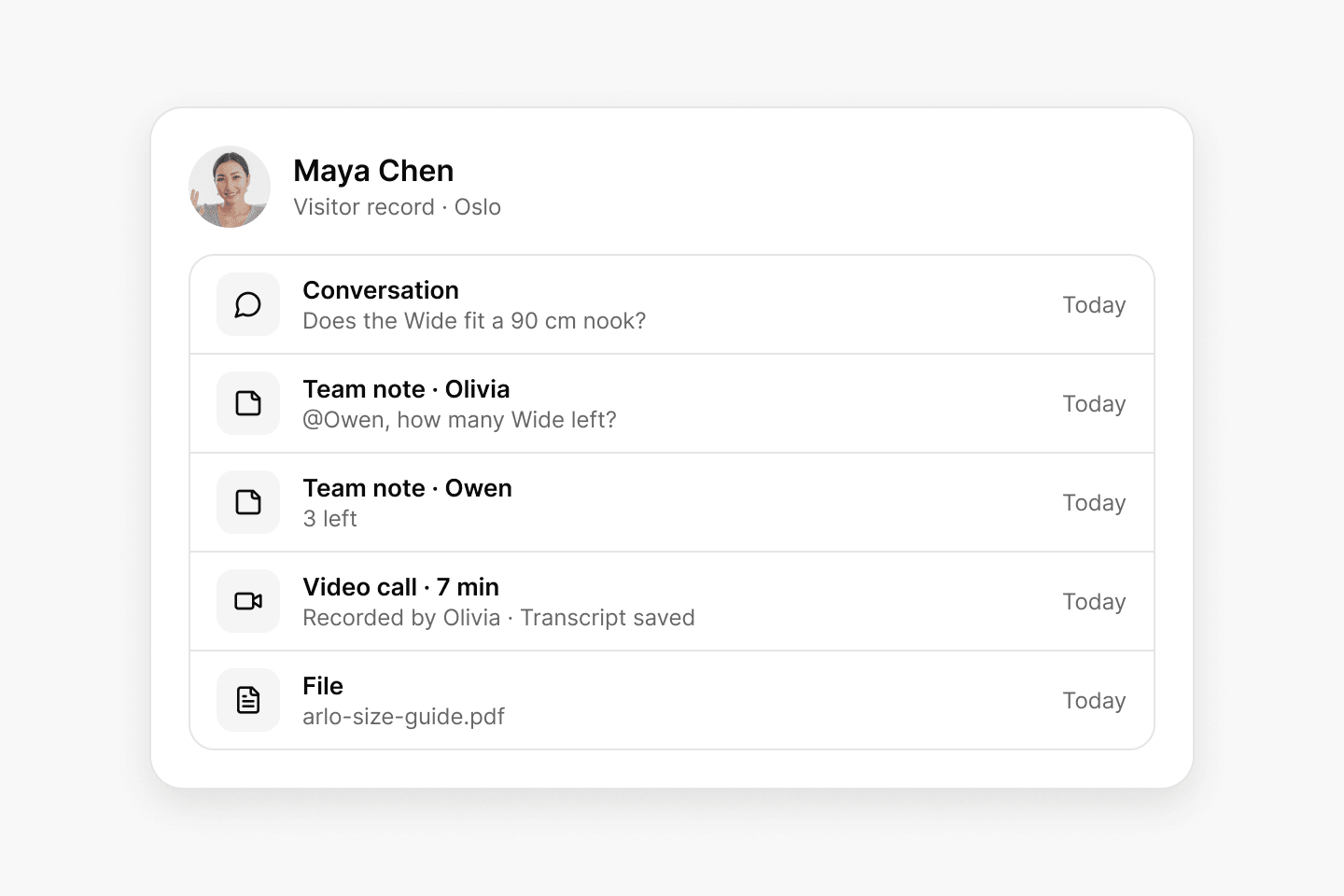


What the visitor sees, and what they never see. One conversation, two lanes.
What the visitor sees
Visitor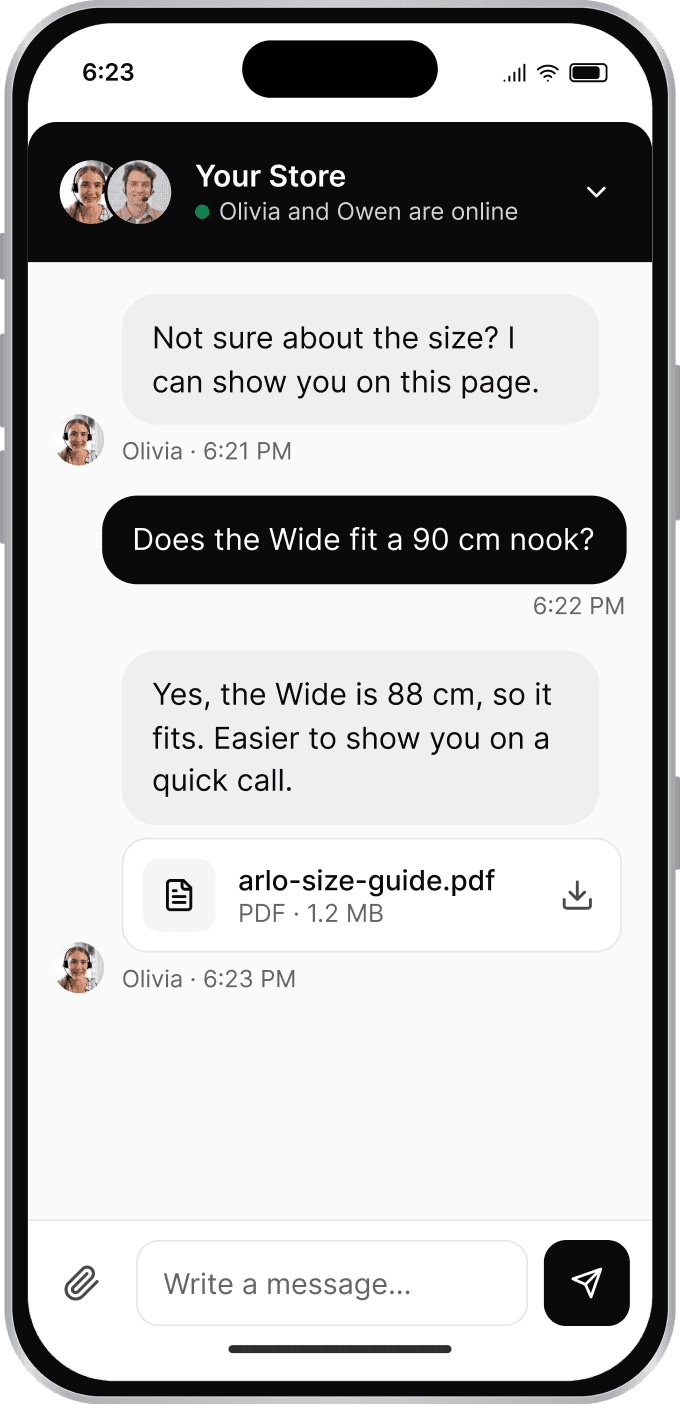
- The faces of who is online
- Replies and files, like the size guide
- No team notes, ever
What your team sees
Your team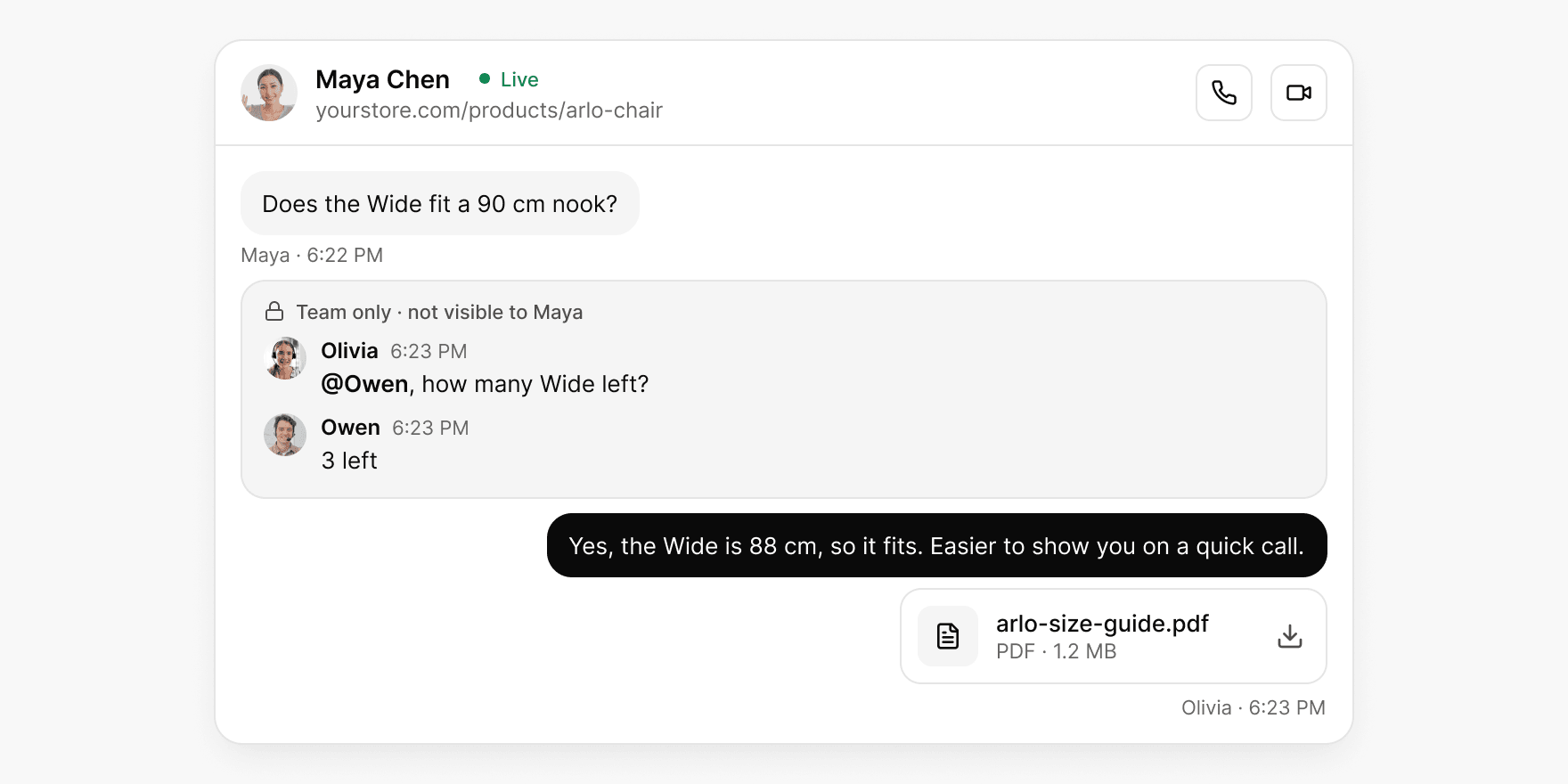
- Team notes with a tint and a lock
- A colleague answers in the same lane
- The reply the visitor gets, below the notes

Where the second opinion goes next. All of it works in the private beta.
- Mentions and handover
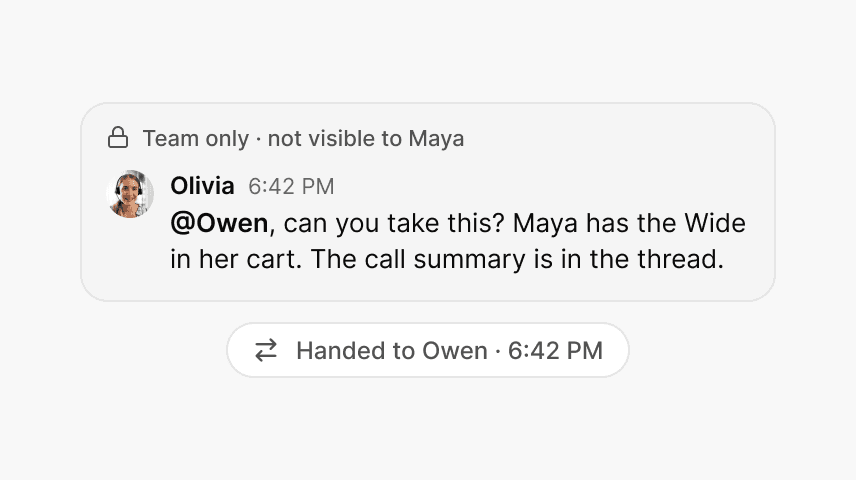
Mention a colleague, or hand the thread over with a private transfer note. Ownership moves when they accept.
- Kept with the record
Notes stay with the thread in the visitor's record, beside the calls and files.
Cloud - Readable over MCP, read-only
Your AI tools read team notes only with a read-only token you create, with the conversations scope.
Intelligence - Per conversation, on purpose
There is no general team channel. Keep your existing tools for that.
Nothing new to install. Team chat comes with the inbox.
What your team does
- 01Open a threadInbox
Team chat sits inside every visitor conversation.
- 02Switch to Team noteReply box → Team note
Or start the message with @ and a colleague's name.
- 03Hand over when neededThread header → Assign
Assign the thread with a private transfer note.
What the visitor never sees
- Team notes, never delivered to the widget
- Mentions of your colleagues
- Transfer notes during a handover
Before your team switches lanes. What support and sales leads ask.
Next in the flow
- InboxWhere the thread lives.
- CloudWhere the notes are kept.
- IntelligenceRead the notes from your AI tool.
All product pages: Calls, Co-browsing, Widget, Booking & callbacks, Pop-ups & forms
Comparing tools? GreetDock vs Crisp, GreetDock vs Zendesk