Answer pre-sales questions while the buyer is reading.
The question that sends a buyer to a contact form is often one sentence long. Your team answers it on the page, by chat, a call or their own page shared with consent.
Free 30-day trial. No card, no automatic charge.



Shown with fictional companies and fictional people.
What a buyer's question costs. When the answer waits for a meeting.
- Problem: One question, one booked meeting
- With GreetDock: Answer it in the thread, in the same visit.
- Inbox
- Problem: Answers that need a screen
- With GreetDock: Offer a call and point at the answer on their page.
- Co-browsing with consent
- Problem: Sellers guessing at technical detail
- With GreetDock: Ask a colleague in a note the buyer never sees.
- Team chat
- Problem: The same question every week
- With GreetDock: Read what buyers asked, then fix the page.
- Intelligence
From a question to an answer on screen. Without a meeting in between.
The buyer asks where the question comes up. Your team replies, moves to a call when it helps, and shows the answer on the buyer's own page.
Step 1 of 3: The buyer asks, your team sees why
- Asked on /integrations
The buyer asks, your team sees why
BothThe question arrives with the page it came from and what the buyer read before, so your team knows what they are deciding.
Asked on /integrations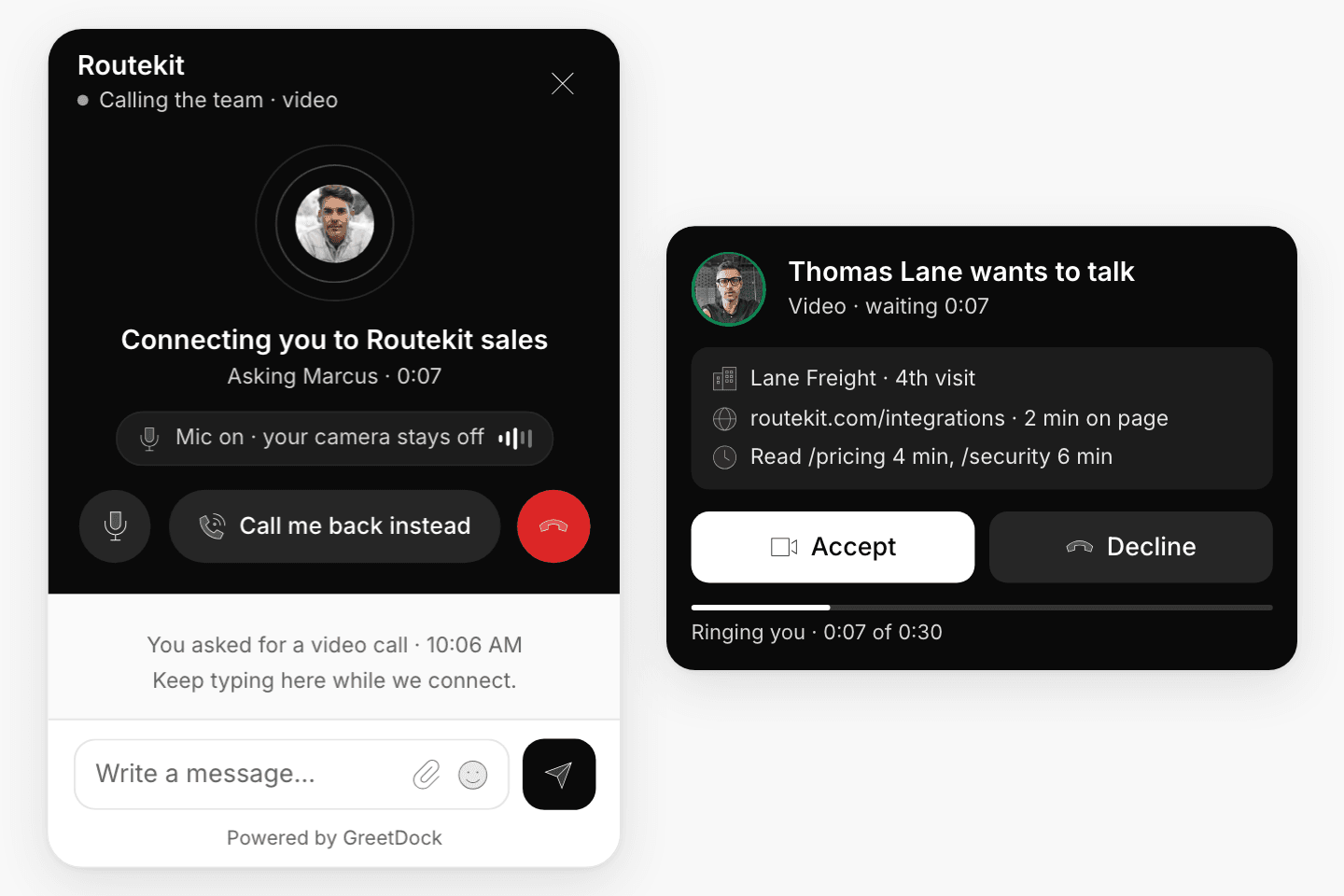
- Allow · Not now
Ask before anything is shared
VisitorWhen the answer needs a screen, your team asks to see the page. Nothing is shared until the buyer taps Allow, and they can stop at any time.
Allow · Not now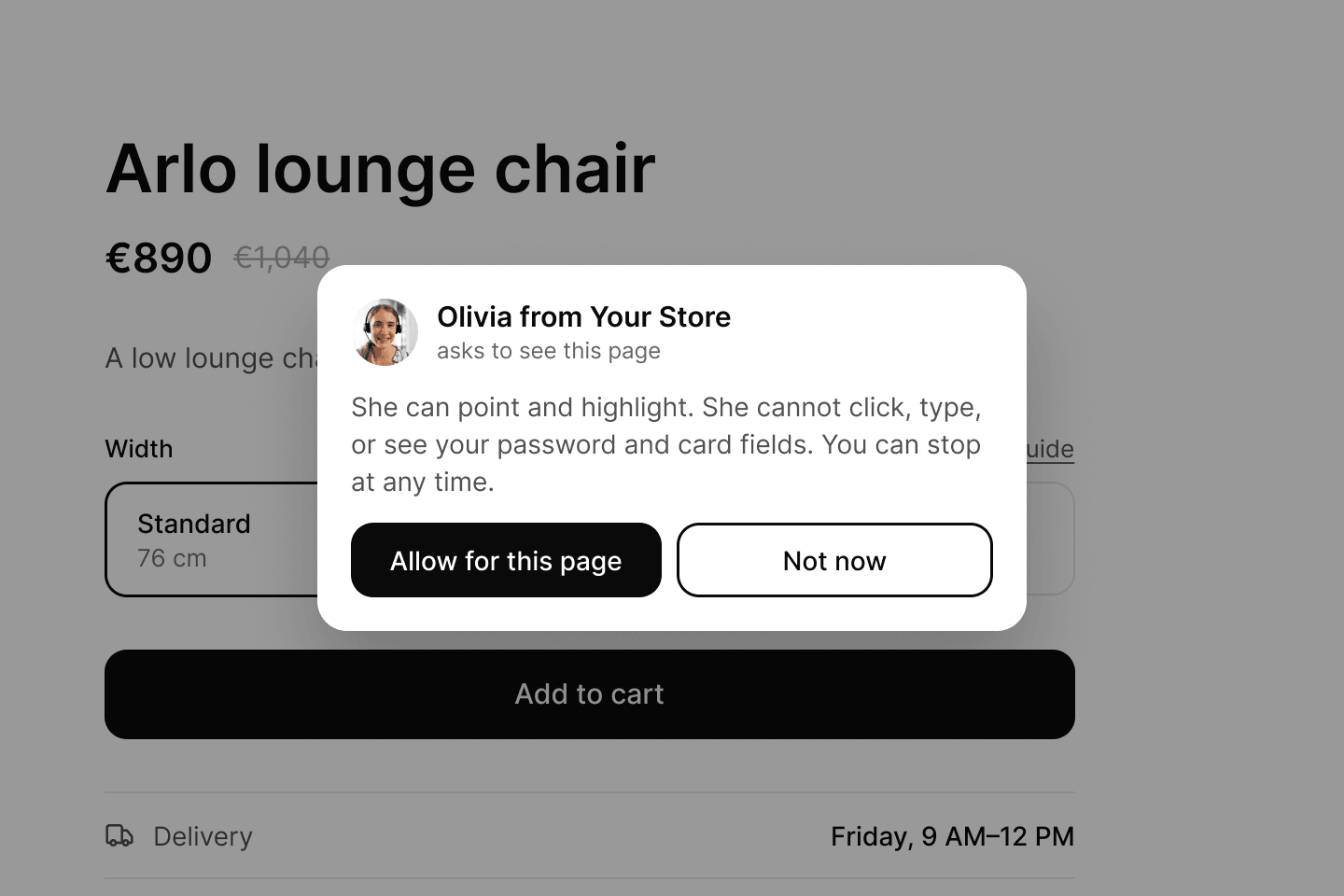
- Pointing · inputs hidden
Point at the answer on their page
BothYour team circles the part that answers the question. They can point and draw, never click or type, and sensitive fields stay hidden.
Pointing · inputs hidden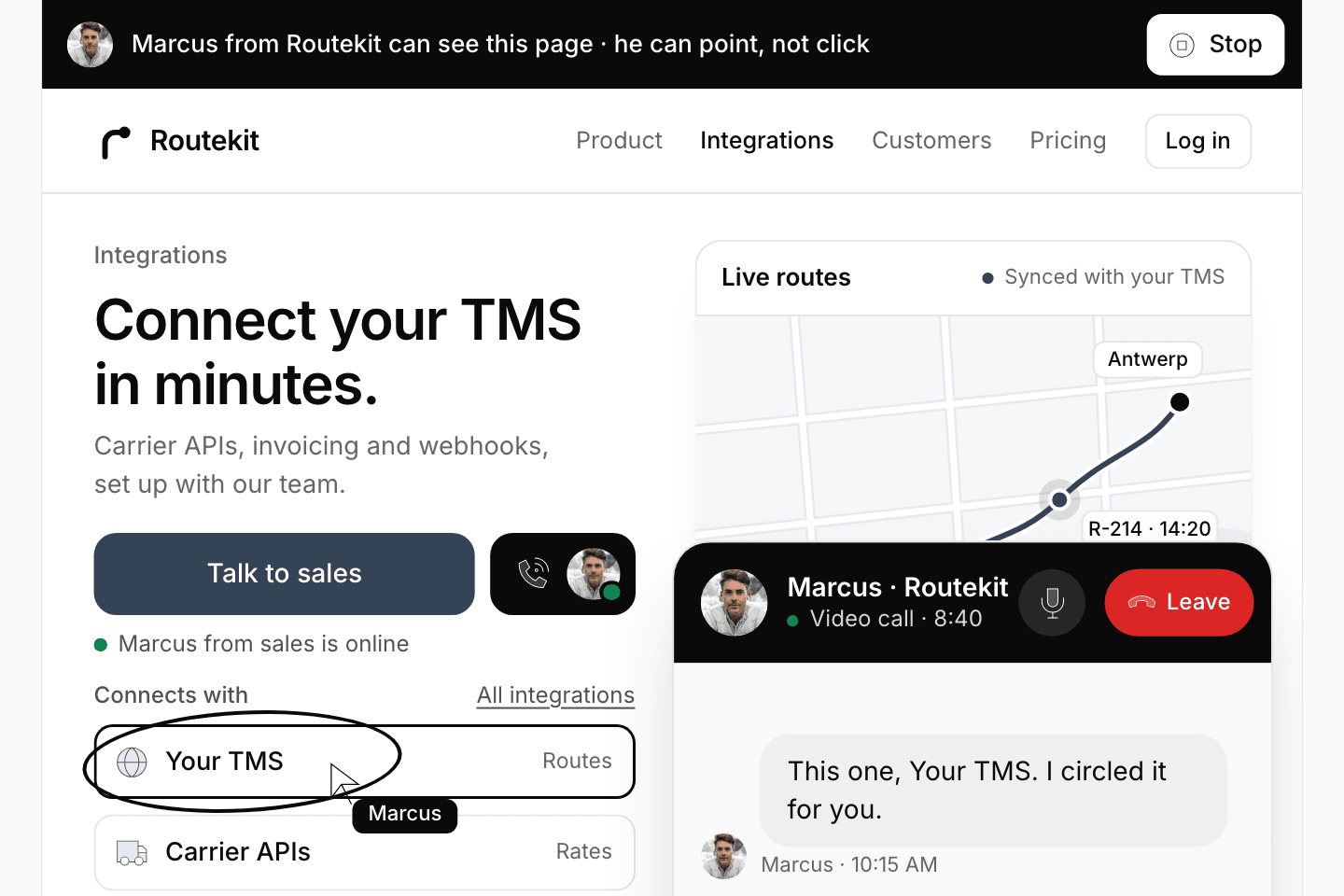


By Edvinas B., co-founder of GreetDock · Published · 3 min read
Key takeaways
- Pre-sales questions tend to be short, and to come up on pricing, integrations and security pages.
- A form turns each one into a booked meeting. A chat or a call settles it in the visit.
- When the answer needs a screen, ask to see the buyer's page. They decide.
- Read the questions every week, and put the common answers on the page.
In this guide 5 chapters
Which questions come before the call? Fit, integrations, security and setup.
Pre-sales questions are the ones a buyer needs settled before they spend a meeting on you. They tend to look like this:
- Does it connect to the system we use?
- Where is our data hosted?
- How long does setup take for a team our size?
- Can I see that screen before I book?
None of them needs a 30-minute meeting. All of them need someone who knows the product.
In short: List the questions your sellers hear most, and greet the pages where they come up.
Why does a form handle them badly? It answers later, by email.
- The buyer has to give a name and a work email to ask one thing.
- The reply arrives after they have moved on to the next vendor.
- The seller who replies does not see what the buyer was reading.
A scheduling link has the same gap: it books a meeting, but it cannot answer anything. Our comparison with Calendly covers when each fits.
In short: A form and a scheduling link both make the buyer wait for the answer.
How should your team answer? Short first, then show.
- 01Answer in one or two sentences
Reply in the thread first. Only offer a call once the buyer has their answer, or asks for more.
- 02Check with a colleague when unsure
Mention a solutions engineer in a team note. The buyer never sees it, and gets one clear reply.
- 03Show it when words are slow
Offer a call, then ask to see the page. The buyer allows it, and you point at the answer.
- 04Keep the answer for next time
The thread stays on the buyer's record, so the next call starts from what was already answered.

In short: A short answer first, a colleague when unsure, and the buyer's page only when they allow it.
What do good answers sound like? Specific, then one next step.
These replies are for a logistics software company. Keep the shape: the answer first, then one offer.
The buyer asks: Where is our data hosted?
Your team replies: In the EEA. The DPA is public, and I can send the sub-processor list here.
The buyer asks: Does it work with our TMS?
Your team replies: Yes, it connects. Easier to show you the settings page on a quick call?
The buyer asks: How long does setup take?
Your team replies: It depends on how many depots start first. How many would go live in the first month?
In short: Every reply ends on one next step, never on a list of options.
Is GreetDock a fit for your team? Worth knowing before you apply.
If one of those rules it out, our comparisons say which tool fits better.
A hosting question, settled on the page. Thomas needs one answer before his security review.
Routekit and Lane Freight are fictional.
- 11:40 AMVisitorThomas opens Routekit's security page and asks where route data is hosted.
- 11:41 AMYour teamMarcus checks with Nadia in a team note, then answers in the thread.
- 11:44 AMVisitorThomas allows Marcus to see the page, and Marcus points at the data residency section.
- 11:52 AMGreetDockThe question, the answer and the shared page stay on Thomas's record.
What helps your team answer. In the private beta today.
- The question with its page
Every question arrives with the page it was asked on and the pages read before it.
- A colleague, out of sight
Mention a solutions engineer in a team note. The buyer sees only the answer.
Team chat - A draft from your knowledge base
The AI suggests a reply from your own content. A person edits it, or discards it, before anything is sent.
Intelligence - Sensitive fields stay hidden
On a shared page, password and card inputs show as hidden to your team.
Security
Before you answer on the page. What sales teams ask.
The products behind it
- Co-browsingShow the answer on the buyer's page, with consent.
- Team chatAsk a colleague without the buyer seeing.
- CallsMove from the thread to a call.
For sales teams: B2B sales, Conversations from your site, Sales handoff
By industry: SaaS, Logistics software, Fintech, Cybersecurity, HR and payroll software
Other teams: Online stores, Support teams, Agencies
Comparing tools? GreetDock vs Calendly, GreetDock vs Qualified