Live chat vs chatbot: when a person should answer, and how to hand off well
Chatbot vs live chat advice often stops at a list of pros and cons. This guide covers the decision underneath it: which questions need a person, and what a clean handoff looks like.
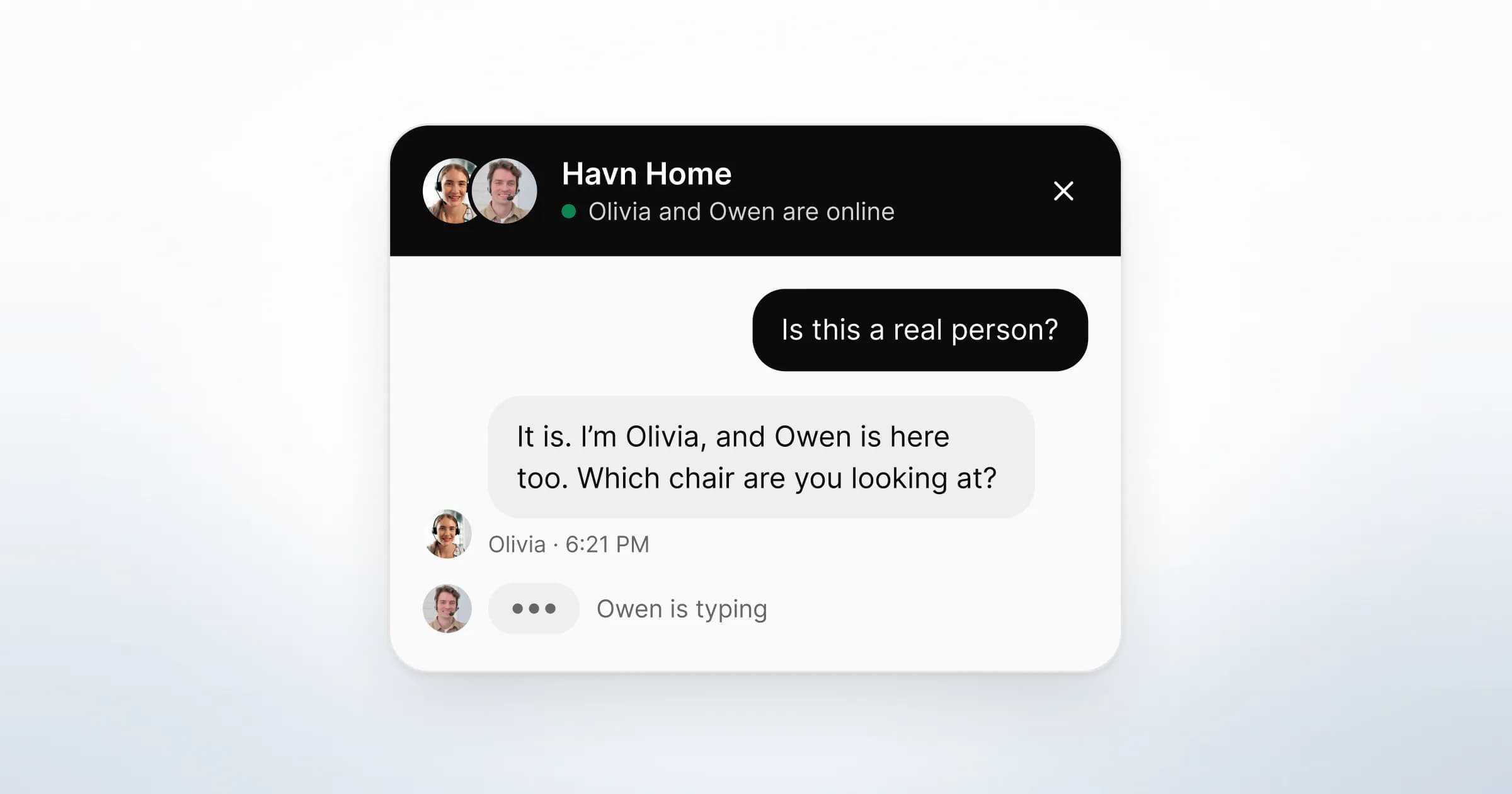
A chatbot is software that replies to a website visitor by itself, from scripted flows or a language model. Live chat is a chat window where a person on your team reads each message and writes the reply. The difference is who is accountable for the answer at the moment it is sent, and that decides which questions each one should take.
The short answer to chatbot vs live chat: a bot is good at narrow, repeated questions with one correct answer, at any hour. A person is better at anything that involves judgement, money, a complaint, or a visitor who is close to buying. The usual failure is the boundary between the two, and the visitor pays for it at the handoff.
Chatbot vs live chat: what is the actual difference?
The difference is in who writes the reply and who answers for it. Everything else follows from that: speed, cost, tone and what goes wrong.
| Chatbot | Live chat with a person | |
|---|---|---|
| Who writes the reply | Software, from flows or a model | A named person on your team |
| Available | Any hour the site is open | When someone is online |
| Strongest at | Order status, opening hours, one-line policy facts | Fit, pricing, edge cases, complaints, buying decisions |
| Typical failure | A loop of answers to the wrong question | A slow reply, or no reply outside hours |
| What the visitor must accept | Talking to software, and rephrasing until it understands | Waiting for a person |
| Who is responsible for a wrong answer | Your business | Your business |
The last row is the same in both columns. In Moffatt v. Air Canada, a Canadian tribunal rejected the airline's argument that its chatbot was responsible for its own statements. The decision says a chatbot "is still just a part of Air Canada's website". It adds that it "makes no difference whether the information comes from a static page or a chatbot" (Civil Resolution Tribunal, 14 February 2024, paragraph 27).

What are the pros and cons of a chatbot?
A chatbot's advantages are real, and they are narrow. Its disadvantages show up when a question falls outside that narrow band, which is where the questions closest to a sale or a complaint tend to sit.
Where a chatbot helps
- Hours. It answers at three in the morning, when a small team cannot.
- Repetition. "Where is my order?" has one correct answer per order, however often it is asked. Software can look it up and reply.
- Speed on simple tasks. Participants in a Nielsen Norman Group usability study saw customer-service bots as "generally less helpful than human representatives". They still named speed as the bots' most important advantage (Budiu, NN/g, 2018).
Chatbot disadvantages
- Loops. The US Consumer Financial Protection Bureau describes "doom loops" for customers. They "are often caused when a customer's issue falls outside the chatbot's limited capabilities" (CFPB, Chatbots in consumer finance, 2023).
- Blocked exits. The same report notes that routes to a human can be "further blocked through unreasonable waits". A visitor who cannot reach a person stops trying.
- Repetition for the visitor. NN/g found users "were generally annoyed when the bot repeated the same answers over and over again". Its guideline is to "offer an escape hatch in the form of a real human".
- Wrong answers you still own. See the Air Canada decision above. Confident wording is no guarantee that the answer is right.
- Disclosure duties. Article 50(1) of the EU AI Act covers AI systems "intended to interact directly with natural persons". They must be designed so people are told they are interacting with an AI system, unless that is obvious (AI Act Service Desk, Article 50). The Regulation applies from 2 August 2026 (Article 113). This is not legal advice; check how it applies to your setup.
- Ambiguous success metrics. Read your vendor's definition of a resolved conversation. Intercom's pricing FAQ counts an outcome when customers "don't ask for more help after Fin responds" (Intercom pricing). Zendesk bills per automated resolution, a request resolved "without any escalation to a human agent" (Zendesk pricing). A visitor who gives up and closes the tab also stops asking, so check those conversations by hand.
When should a person answer instead of a bot?
A person should answer when the cost of a wrong or clumsy reply is higher than the cost of a short wait. In practice that comes down to the question, the page and the visitor's mood, not to the channel.
| Signal | Why a person should take it |
|---|---|
| The visitor is on pricing, checkout or a plan comparison | They are deciding, and an unanswered question here can end the visit |
| The question asks for judgement ("Will this work for our setup?") | There is no single correct answer to look up |
| Money, contracts, refunds or a dispute | A wrong reply creates an obligation or a complaint |
| The visitor rephrases the same question | The bot has already failed once; a second failure costs trust |
| The visitor asks for a person, in any wording | Ignoring the request is the fastest way to lose them |
| Frustration, urgency or a complaint | Tone matters more than speed |
If a bot sits in front of your team, these signals are your handoff triggers. Write them down as rules and test them. "Talk to a person" should work as a typed phrase and as a visible button, on every screen of the bot.
What does a good chatbot human handoff look like?
In a good handoff the question reaches a person with everything attached. They see what was asked, on which page, and what the bot already said, so the visitor never types the question twice.
Five steps cover most of it:
- Trigger early. Hand off on the first signal from the table above, not after three failed answers.
- Say what happens next. Name who will reply and roughly when, in plain words. If you cannot name a time, do not invent one.
- Carry the context. Pass the transcript, the page the visitor is on and anything they entered. NN/g's guideline is to "save information from one task to the next".
- Open with the answer. The person's first message should address the question already asked. "How can I help?" tells the visitor nobody read the thread.
- Close the gap when nobody is there. Outside your hours, say so and take an email address. Do not leave the visitor waiting in a queue nobody is watching.
Lines your team can use
Adapt these to your own voice. Each one states a fact the visitor can check.
- Handing off: "I'll pass this to Olivia on our team. She can see what you've asked here, so you won't need to repeat it."
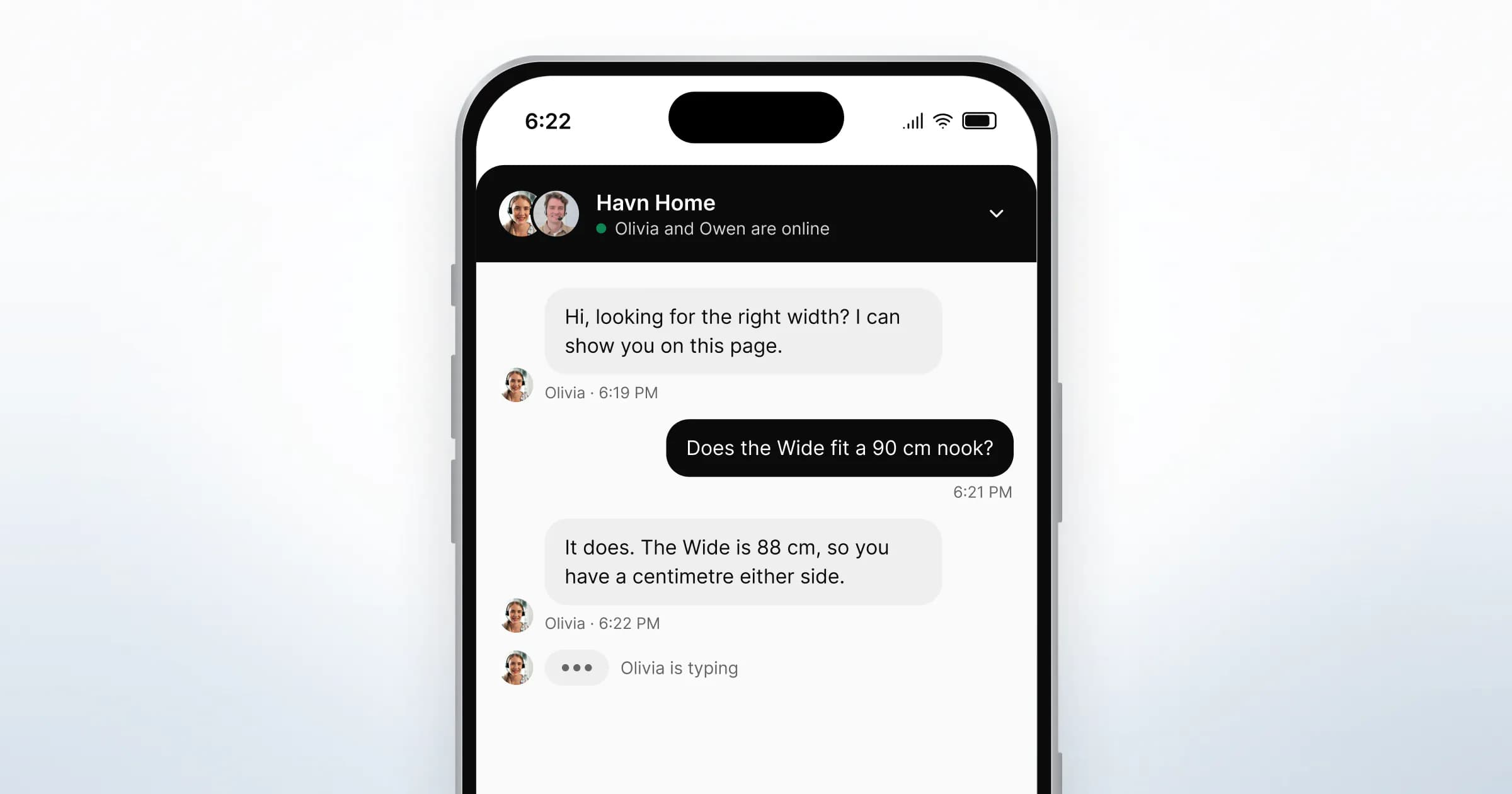
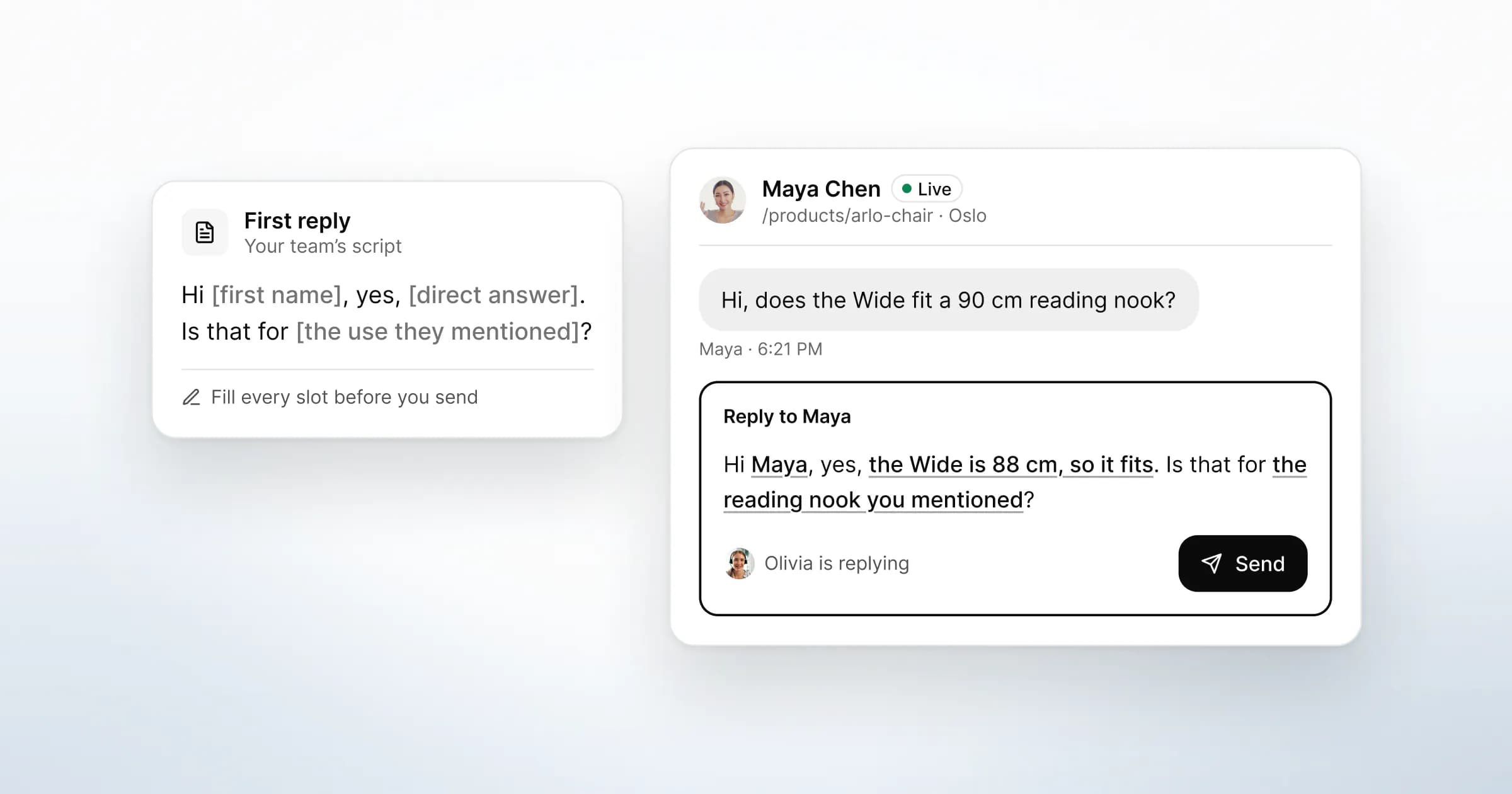
- The person's first reply: "Hi Maya, Olivia here. The Wide is 88 cm, so it fits a 90 cm nook with a little room either side."
- Nobody available: "Nobody is at the desk right now. We're back at 9:00 Vilnius time. Leave your email and the reply will go there."
- Moving to a call: "This is quicker to talk through. Would a call here in the browser help? You can keep your camera off."
For the out-of-hours case, the widget's offline form takes the question, the page and a reply address.

Handoffs between people need the same care
The same rules apply when one teammate passes a conversation to another. Sales hands a technical question to support, or the person who started the thread goes offline. If the visitor has to explain again, the handoff failed, whoever made it.
In GreetDock's inbox, every visitor message carries the page it was sent from, and the visitor's profile sits beside the thread. To hand over, a teammate assigns the conversation to a colleague and leaves a team note. The colleague sees the whole thread and the notes before accepting. The visitor keeps talking in one conversation and never sees the handover.
Team notes sit in a private lane of the same thread and are never delivered to the widget. A teammate can mention a colleague in a team note to ask something mid-conversation, without the visitor seeing the question.

Where does AI help if a person answers?
AI can make a person faster without answering for them. The useful place for it is the draft: a suggested reply your teammate reads, corrects and decides whether to send.
This is the choice GreetDock makes. There is no bot that answers visitors. When a visitor writes, GreetDock's AI drafts a reply from your knowledge base and the conversation so far. The draft appears in the composer, and a person on your team edits it, sends it or discards it. Every message a visitor receives is sent by a person. AI processing for drafts runs on an EU-hosted model.
When a teammate records a call, a transcript and a short AI summary are saved to the visitor's record, also as a draft for the team to correct.
A draft keeps what a bot is good at, a fast first version of a repeated answer, and puts a person between that version and the visitor. The knowledge base still matters. Drafts use only what is in it and in the current conversation, so an outdated entry produces an outdated draft that someone has to catch.

If you want software to answer customers before a person steps in, GreetDock is the wrong tool. We say so on the comparison with Intercom, whose AI agent is built for that, and on the Tidio comparison, where Lyro, Tidio's AI agent, does the same job. The Zendesk comparison covers the same ground for a helpdesk-first team.
How to choose for your team
Start from your conversations, not from the software. Export a month of chats, or a week of contact-form emails if you have no chat yet, and sort them into three piles.
- One correct answer, looked up. Order status, hours, a returns window. A clear page answers these best; a bot is a reasonable second choice.
- Judgement or a decision. Fit, pricing, "will this work for us". These need a person, ideally while the visitor is still on the page.
- Trouble. Complaints, disputes, anything with money attached. A person, every time.
If the second and third piles are most of your volume, live chat with a person is the better default. A bot in front of those questions adds a step between the visitor and the answer. If the first pile dominates, fix the pages first, then decide whether a bot still has work to do.
A small team that chooses people can still cover more than it seems. Show a greeting written for each page, offer suggested questions the visitor can tap, and switch to an offline form automatically when nobody is online. For support teams, a video chat for customer service in the same thread handles the questions that are slow to type.
What to do next
- Sort a month of conversations into the three piles above, and count each pile.
- Write your handoff triggers as rules, including "the visitor asks for a person".
- Test the handoff yourself on a phone: ask a question, ask for a person, and check whether the reply shows the person saw your first message.
- Read your vendor's definition of a resolved conversation, and review a handful of "resolved" threads by hand.
- Rewrite your first-reply, handoff and nobody-available lines so each states a fact the visitor can check.
For how chat fits with calls and shared pages, read what co-browsing is and when it helps. To see how GreetDock compares with other tools, start at the comparison hub.
GreetDock is in private beta with a free 30-day trial. If a person-first inbox with AI drafts fits how your team works, get early access.