Proactive chat: when to greet a visitor and when to leave them alone
A common default is a timer and a generic welcome. A greeting earns its place when it names the visitor's likely question and a person is there to answer it. Here is how to decide, page by page.
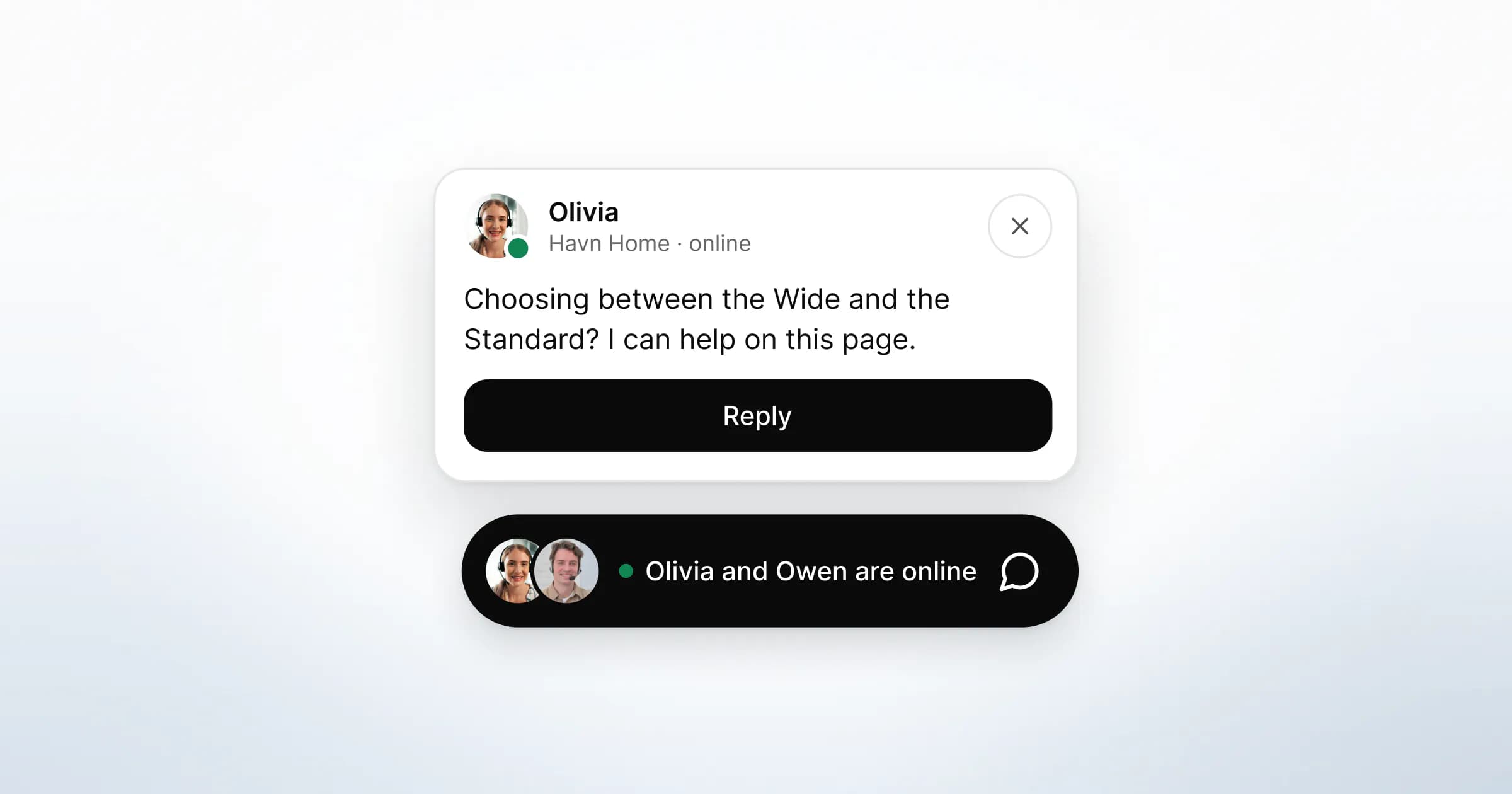
Proactive chat is a message your team sends to a website visitor before the visitor has asked anything. It can be a greeting, an offer of help or a question, shown in the chat widget on the page they are reading. It helps when the opener names a question that page tends to raise and a person is free to answer. Otherwise it is an interruption.
The short answer is to greet when you can say something useful about the page the visitor is on, and someone is there to follow up. Leave them alone when they have only just arrived, when they are in the middle of a task, and when nobody can reply. Below are the rules, the wording and a page-by-page plan a small team can run.
What does proactive chat usually mean in chat tools?
In many chat tools, proactive chat means an invitation that fires on a rule. The rule looks at things like the page, the time on the site and whether the visitor has been before, then sends a message without anyone on the team deciding.
The defaults show how this goes wrong. Zendesk's help centre describes a default trigger in Zendesk Chat called Proactive Greeting. It sends new visitors "Welcome! Can we help you with anything?" 30 seconds after they arrive. The rule is easy to switch on. The message says nothing about the page, and it arrives on a timer whether or not the visitor has a question.
A rule like this speaks first with nothing to say. The fix is a better opener, sent at a moment a person chose.

When does a proactive greeting help?
A greeting helps when the page raises a predictable question, the greeting names it, and a person can answer within the visit.
Pages that pass that test tend to be decision pages:
- Pricing and plan comparison. The visitor is weighing a cost and has a specific doubt.
- Integrations. The question is usually "do you connect to the tool we use?"
- Security and compliance. Someone is checking a list for a buyer or a data protection officer.
- Product pages with fit questions. Size, compatibility, delivery dates, returns.
- A return visit to any of the above. A second look at pricing is a stronger signal than a first.
On these pages a good opener saves the visitor a step. They no longer have to work out whether the widget is staffed, or how to phrase the question. The greeting has already done both.
When should you leave a visitor alone?
Leave them alone when an opener would cost them more attention than it saves. Nielsen Norman Group's guidance on pop-ups puts the first rule plainly: "never show a popup before users can glean value from your website or application". A chat invitation in the first seconds of a visit fails that test.
The other moments to stay quiet:
- Mid-task. A visitor typing into a form or entering an address in checkout is busy. Interrupting them risks the task you want them to finish.
- Self-service pages. Someone reading a help article or your docs has chosen to find the answer alone. Let them, and make the widget easy to open if they get stuck.
- Pages with no decision on them. Blog posts, careers and the about page rarely need an opener.
- When nobody can reply. A greeting promises a person. If your team is offline, show the offline route instead, through the widget's offline form, which keeps the question and asks for a reply address.
- After a dismissal. If the visitor closed the greeting or did not reply, that is the answer for this visit.
Accessibility points the same way. WCAG 2.2 includes a criterion on interruptions, at its strictest AAA level: interruptions can be postponed or suppressed by the user. The intent is to let people with attention or cognitive limitations stay focused on the content. A greeting the visitor can ignore, rather than a panel that takes over the page, respects that.
Greet or wait: a page-by-page guide
The table pairs common pages with a default. Treat it as a starting point and change it once you have read a few weeks of real conversations.
| Page | Visitor's likely state | Default | Why |
|---|---|---|---|
| Pricing | Comparing, has a specific doubt | Greet | The question is predictable and worth answering |
| Integrations | Checking a requirement | Greet | One answer decides whether they continue |
| Security | Reviewing for someone else | Greet, lightly | Point to documents; do not push a call |
| Product page | Checking fit or delivery | Greet | Size and delivery questions repeat |
| Checkout or forms | Mid-task | Wait | An interruption can cost the task |
| Help articles and docs | Self-serving | Wait | They chose to read; keep the widget one tap away |
| Blog and careers | Browsing | Wait | No decision for a greeting to help with |
| Any page, nobody online | Needs a reply later | Offline route | A greeting would promise a person who is not there |
Proactive chat, pop-ups and greetings: what is the difference?
They sit on a scale of how much the visitor is asked to stop. The further down the table, the more the opener has to earn.
| Approach | Who decides it appears | What the visitor sees | Main risk |
|---|---|---|---|
| Greeting in the widget | The visitor, by opening it | A page-specific first message from your team | Low; it can be generic if nobody writes it |
| A teammate saying hi | A person reading who is on the site | One message in the widget, which the visitor can ignore | Feels like being watched if the wording is wrong |
| Rule-triggered invitation | A rule, such as time on the site | An invitation at a moment the rule chose | Fires at the wrong moment, on every visit |
| Modal pop-up | A rule | A panel over the page | Blocks the content the visitor came for |
The bottom row has a search cost too. Google's guidance on intrusive interstitials and dialogs says elements that obstruct the content can make it hard for search engines to understand the page, which "may lead to poor search performance". Small banners that take up a fraction of the screen are treated as less intrusive.
How do you write a greeting that does not read like a pop-up?
Write it for the page. In one or two short sentences, a good greeting names the likely question, says a person is there and makes ignoring it feel fine.
| Instead of | Try |
|---|---|
| "Welcome! Can we help you with anything?" | "Comparing options? Ask me here, I can explain on this page." |
| "Hi there, any questions?" | "Checking whether we connect to your tools? Tell me which ones and I will check." |
| "Need help?" | "Reviewing our security for your team? I can point you to the right document." |
| "Chat with our experts!" | "Not sure about the size? I can show you on this page." |
Scripts for decision pages
Use these as drafts and rewrite them in your team's words. Each greeting is followed by up to three suggested questions, written the way a visitor would ask them.
- Pricing. Greeting: "Comparing options for your team? Ask me, I can explain on this page." Questions: "Is there a minimum term?", "Can we change later?", "What happens after the trial?"
- Integrations. Greeting: "Checking whether we connect to your tools? Tell me which ones." Questions: "Do you connect to our CRM?", "Is there an API?", "Who sets it up?"
- Security. Greeting: "Reviewing security for a buyer or your DPO? I can send the right document." Questions: "Where is data hosted?", "Can we get the DPA?", "Is there a sub-processor list?"
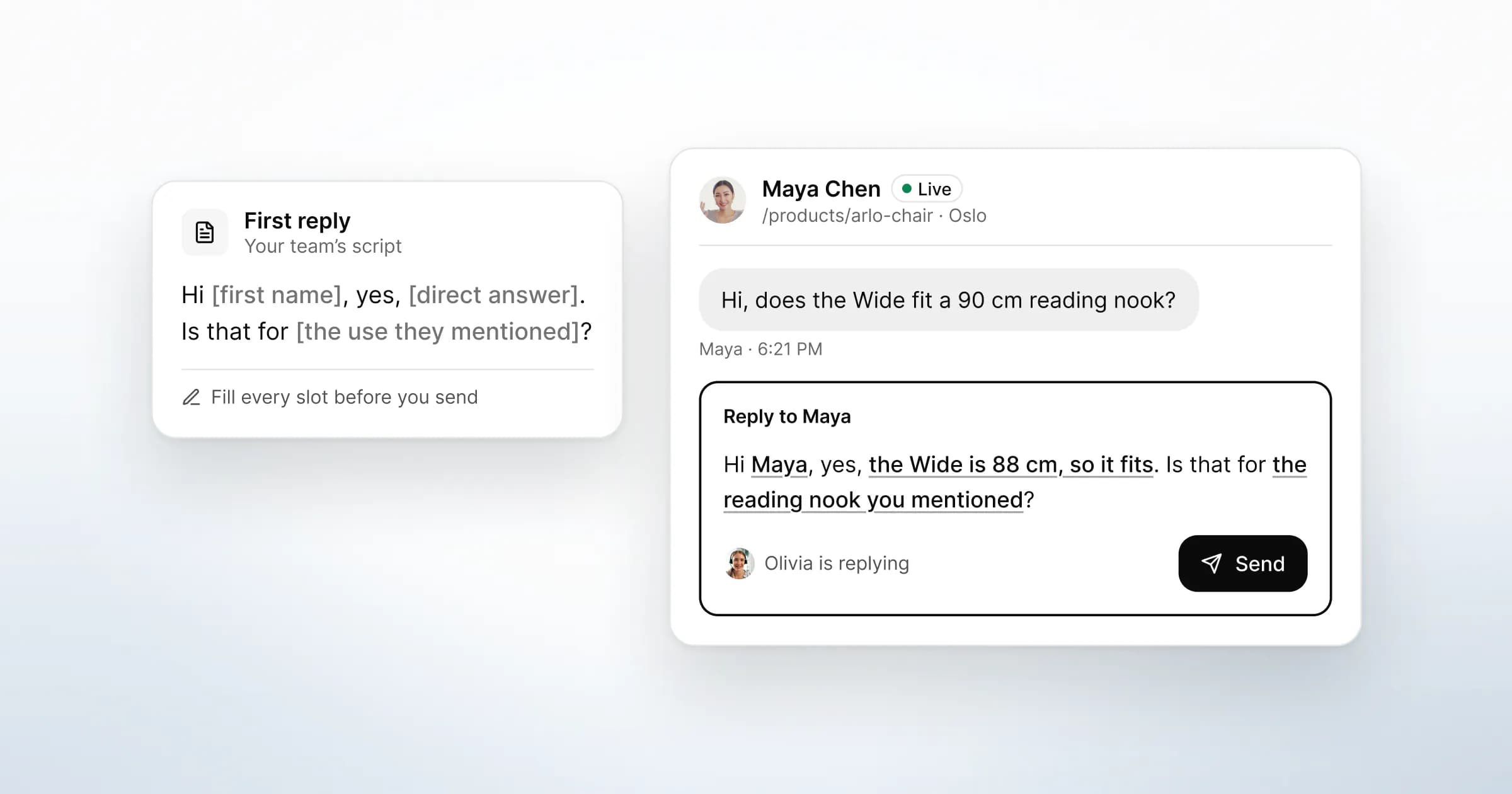
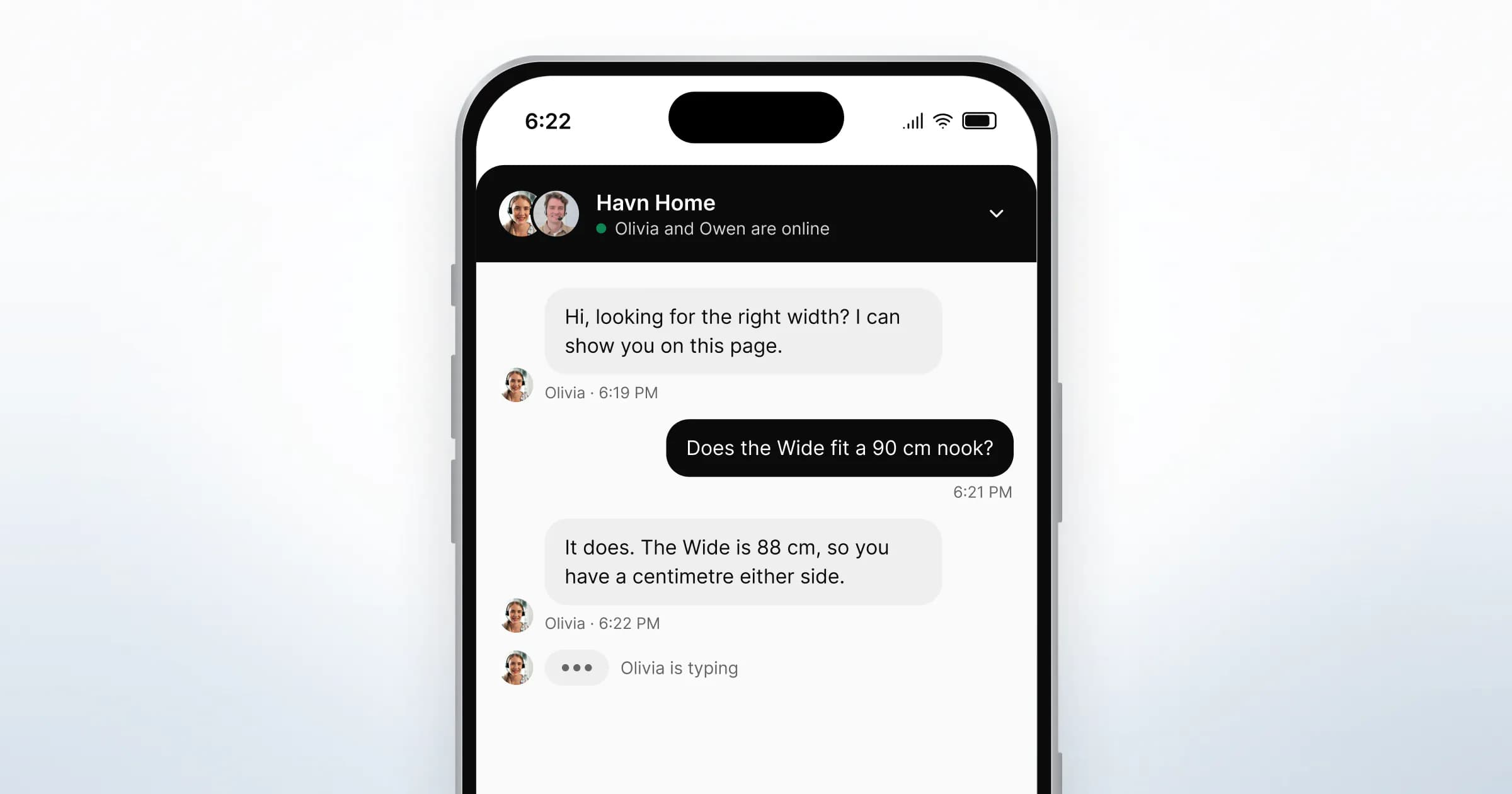
- Product page. Greeting: "Not sure about the size? I can show you on this page." Questions: "Does it fit a 90 cm nook?", "When does it arrive?", "Can I return it?"
Suggested questions often do more work than the greeting. They show the visitor that their question is a normal one, and they turn a blank message box into a single tap.

Should a person say hi, or should a rule?
A person, when you can. A teammate looking at the visitors on the site right now can see the page, how long they have been on it and whether they have visited before. That is the same information a trigger uses, read by someone who can also judge whether the moment is right.
Good reasons to say hi first:
- A returning visitor is back on pricing, integrations or security.
- Someone your team has talked to before is on the site again.
- A visitor has been on a decision page long enough to be reading, not skimming.
What to write matters more than when. Refer to the page, never to the tracking. "I see you've been on our pricing page for six minutes" tells the visitor they are being watched. "Comparing options? I can answer here" tells them a person is available.
A script for a teammate's hi:
"Hi, I'm Marcus from the team. If you're checking which integrations connect, I can tell you here. No need to reply if you're just reading."
The last line gives the visitor permission to ignore you, so replying is their choice.
Two habits keep this from becoming pressure. Say hi once per visit. If there is no reply, do not follow up in the same visit.

What GreetDock does and does not do
GreetDock's approach to proactive chat is the top two rows of the comparison table: a greeting written for each page, and a person who can say hi first. It does not fire invitations on its own.
What it does today:
- A greeting for each page. Your team writes rules matched by page path in Settings → Widget → Greeting. The most specific rule wins, and pages without a rule use the default greeting. The greeting is the first message the visitor sees when they open the widget.
- Suggested questions. Up to three per rule. When the visitor taps one, it is sent as their first message.
- Saying hi first. The live list in the GreetDock inbox shows visitors on your sites now, with their page and how long they have been there. A teammate can send the first message, which appears in the visitor's widget. The visitor can ignore or dismiss it, and the conversation starts only when they reply.
- Nothing shared without consent. Saying hi shares nothing from the visitor's page. Your team sees their page only if the visitor later accepts a co-browsing request.
- Opening from your own buttons. The widget's JavaScript API opens the chat from buttons and links on your pages.
- An offline route. When nobody is online, the widget switches to an offline form instead of greeting.
What it does not do: there are no time-on-page, scroll-depth or exit-intent triggers, and no automatic invitations or pop-ups. Cards, forms and pop-ups that show based on who is free are coming to the beta in Pop-ups & forms, with no date. If automatic rule-based invitations are a requirement today, GreetDock is not the right fit yet.
The live chat widget page shows the greeting and the widget as visitors see them.
How do you know whether your greetings are working?
Read the conversations they start. Raw counts of opened widgets say little on a small site. The threads tell you whether the greeting named the right question.
A short review, once a fortnight:
- List the first messages. Which suggested questions were tapped, and which questions did visitors type themselves?
- Compare them with the greeting. If visitors keep asking something the greeting does not mention, rewrite the greeting around it.
- Retire questions nobody taps. Replace them with the questions people typed.
- Check the quiet pages. If a page you left without a greeting keeps producing the same question, it has earned one.
What to do next
- Pick three decision pages. Pricing, integrations and one product or security page are a sensible start.
- Write one greeting and three suggested questions for each. Use the visitor's wording, and keep each greeting to two short sentences.
- Leave forms, checkout and docs without an opener. Make the widget easy to open there instead.
- Agree when your team says hi. Returning visitors on decision pages, once per visit, with a line that makes ignoring it fine.
- Decide what happens when nobody is online, before the first greeting goes live.
For the sales side of this, see how B2B sales teams open conversations on their site. For how chat fits with calls and shared pages, read what co-browsing is and when it helps.
GreetDock is in private beta, built by a team in Vilnius, with a free 30-day trial, no card and no automatic charge. If this is how you want greetings to work on your site, you can apply for early access.