Buyers shouldn't book a demo to ask one question.
Your sales team talks to qualified buyers on the page they are reading, by chat or a call in the same tab. Nothing for the buyer to install.
Free 30-day trial. No card, no automatic charge.

set up with our team.Talk to sales
 Marcus is taking callsTalk nowVoiceVideo callCamera optionalBook a callPick a timePowered by GreetDockInboxRoutekitTaking calls
 Thomas Lane · Lane FreightOn /integrations · 4th visitRead /pricing4 min agoRead /security6 min ago
Use the tabs, or the arrow keys, to see each part of the product story.
The call, now
Talk now.
The buyer sees who is taking calls, by name and face, and talks to them without leaving the page.

 2:13
See a whole call in the product tour.
Chat, then a video call in the same tab, with nothing for the buyer to install. Then the rest of GreetDock, in four minutes with narration.
See who is worth a call. Pages read, time spent, return visits.
RoutekitInbox

 Online
7 on routekit.com now
Everyone on routekit.com now, with the page, time on page and visit count.
6 min on this page · 4th visit
Name and company shared in a chat 6 days ago.
- Location
- Dublin, Ireland
- Page
- /integrations
- Time on page
- 6m 12s
- Visits
- 4 in the last 30 days
Pages read, last 30 days
- Today/integrations 6 min
- 3 days ago/integrations 2 min
- 6 days ago/security 6 minChat with Marcus
- 18 days ago/pricing 4 min
Marcus is taking calls, so Thomas also sees Talk now in the widget.
The same visitors, grouped by the page they are reading now.
- /integrations3 now
- /pricing2 now
- /case-studies1 now
- /security1 now
Visitors who came back in the last 30 days, most visits first.
Marcus · taking callsNadia · in a chatTalk now is showing in the widgetFrom the first question to the follow-up, in one visit. The buyer stays on the page.
1 / 4 · See
See who is reading now. Their page, history and return visits.
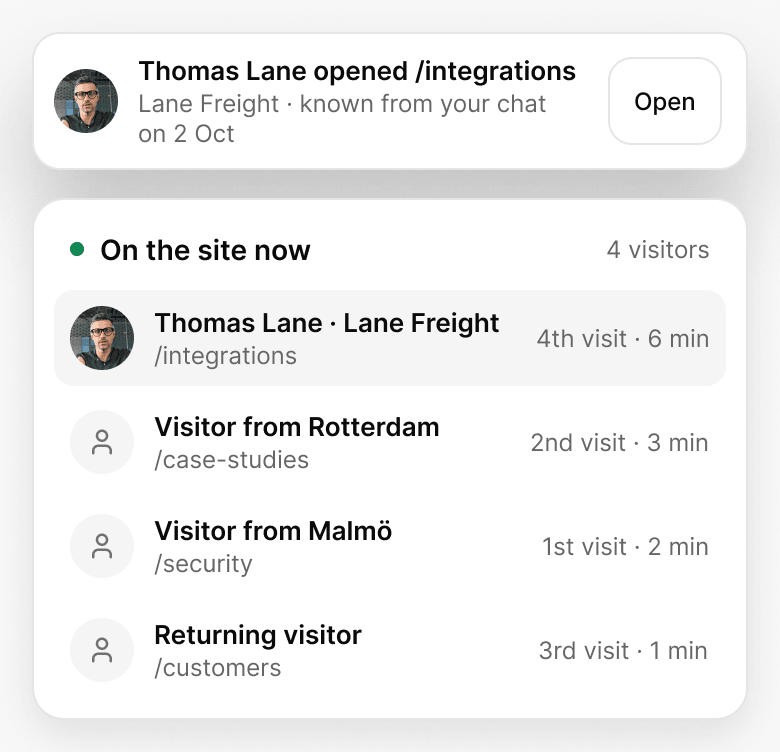
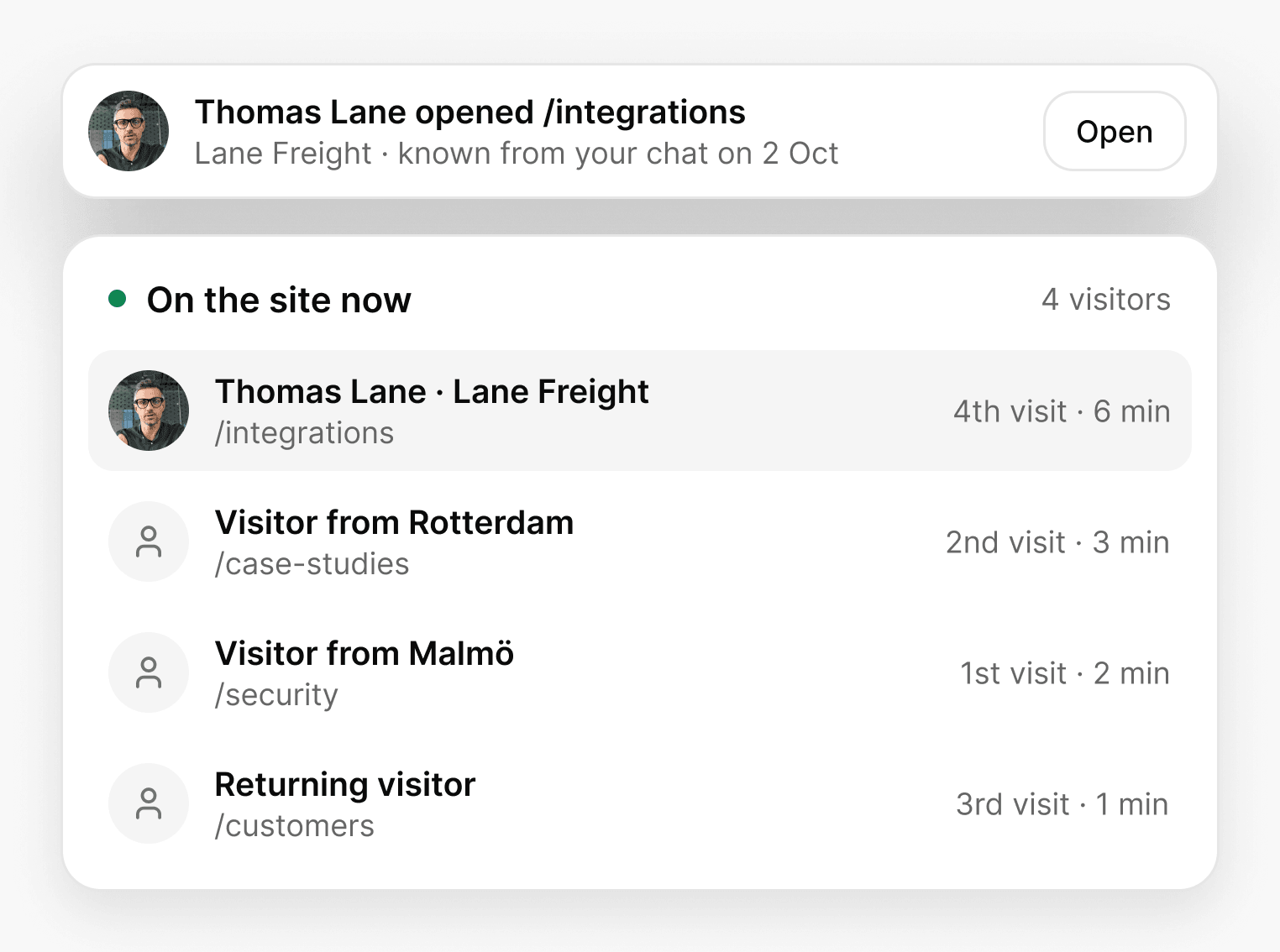
Pages, visits and profile, next to the thread.
Ask a colleague privately. The buyer never sees it.
2 / 4 · Talk
Talk in the same visit. Chat first, then voice or video.
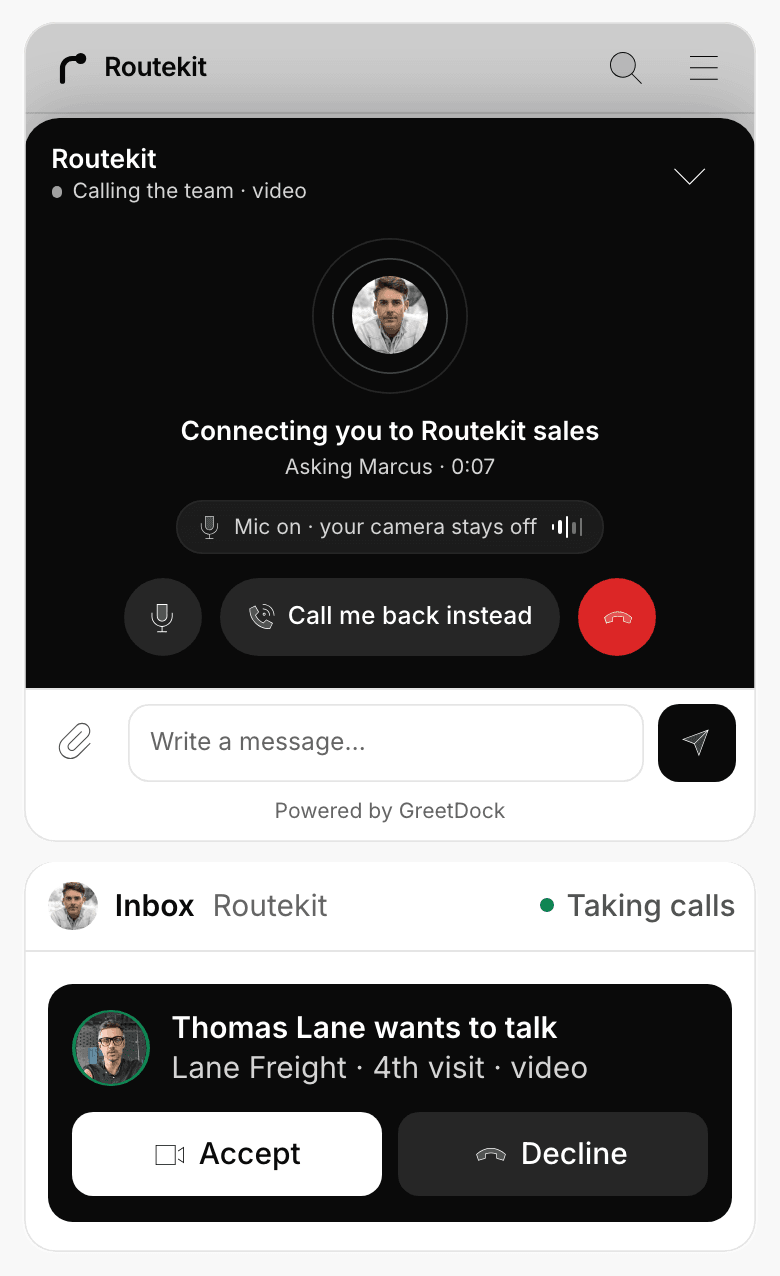
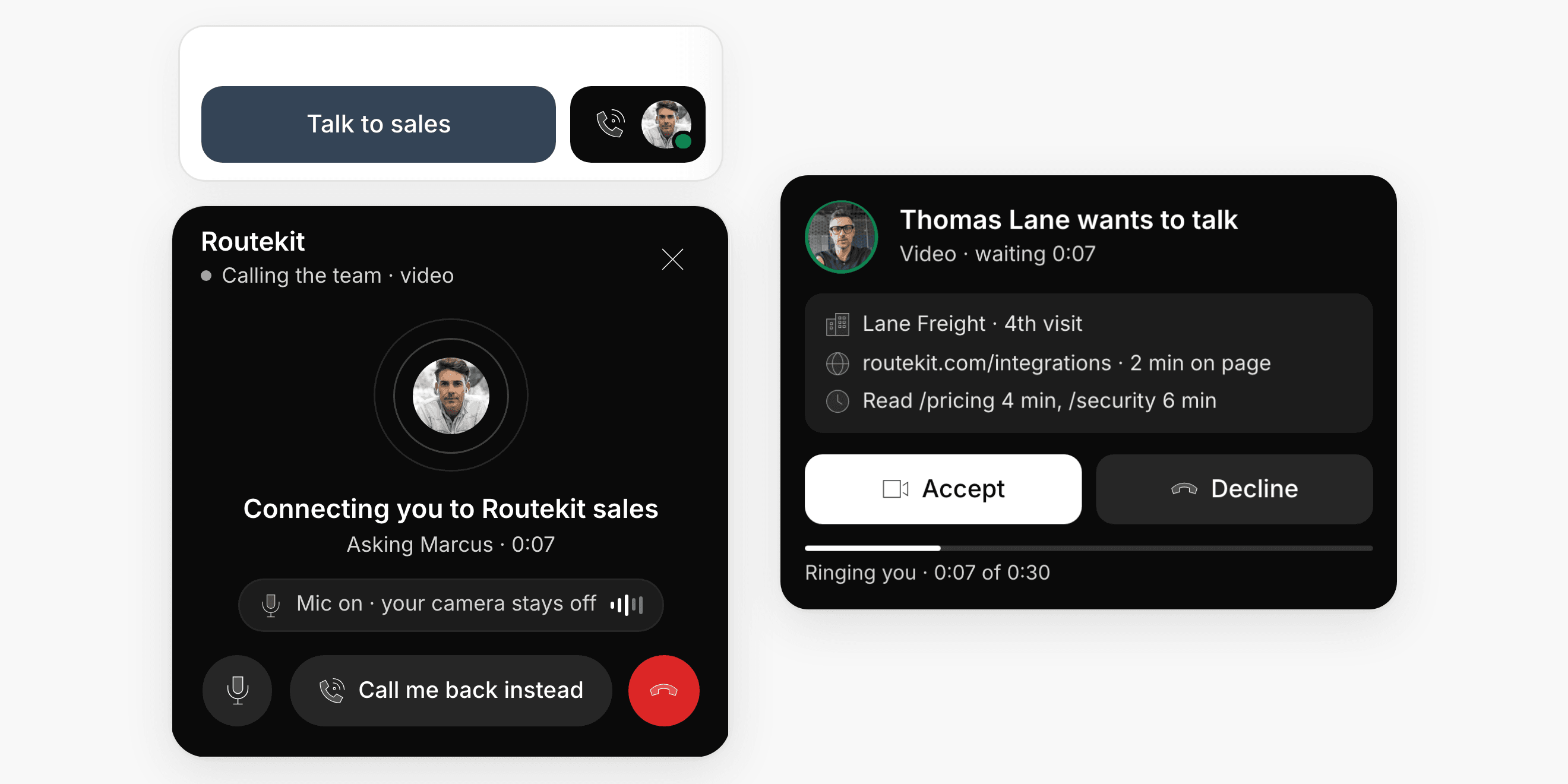
A call starts when both sides agree and the browser allows it.
Recorded only when your teammate starts it, and the visitor is told. Teams in the EU and EEA ask first by default.
3 / 4 · Show
Show the answer on their own page. Only after the visitor accepts.
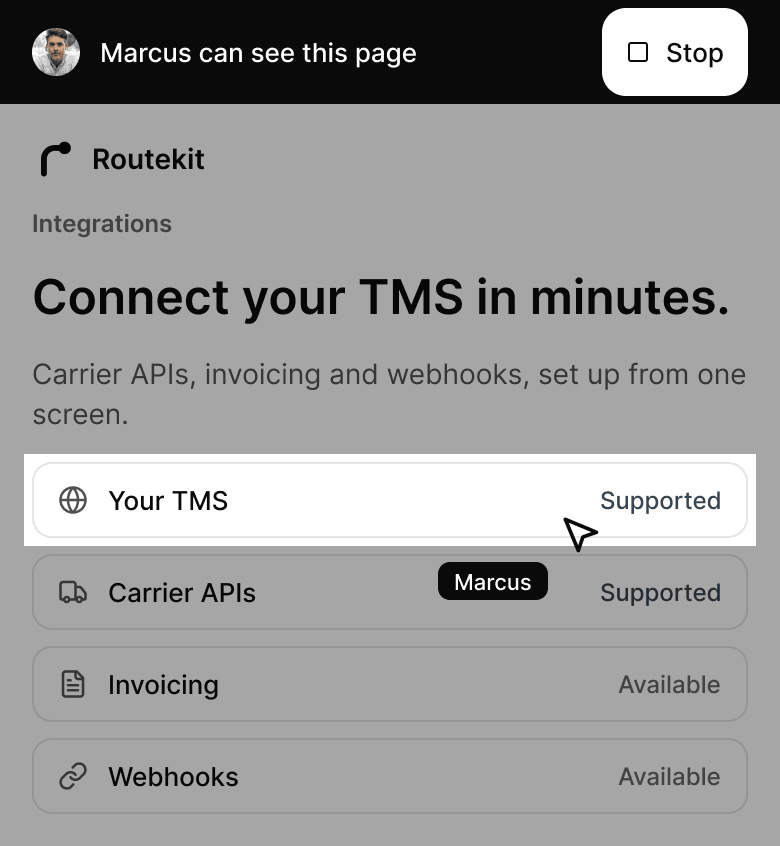
Guide attention without taking control.
Sensitive input values are not shared with your team.
4 / 4 · Hand over
Hand over with the whole story. Thread, notes and transcript, in one record.
Contact, company and qualification fill in as the buyer talks.
Documents stay where they were shared.
What the buyer sees. Your colours, and the teammate who answers.
The launcher shows who is taking calls right now, by name and face, so the buyer knows who they will talk to.
Routes and delivery status flow between Routekit and your TMS, so dispatch and sales read the same numbers. Set up with our team, usually in a day.
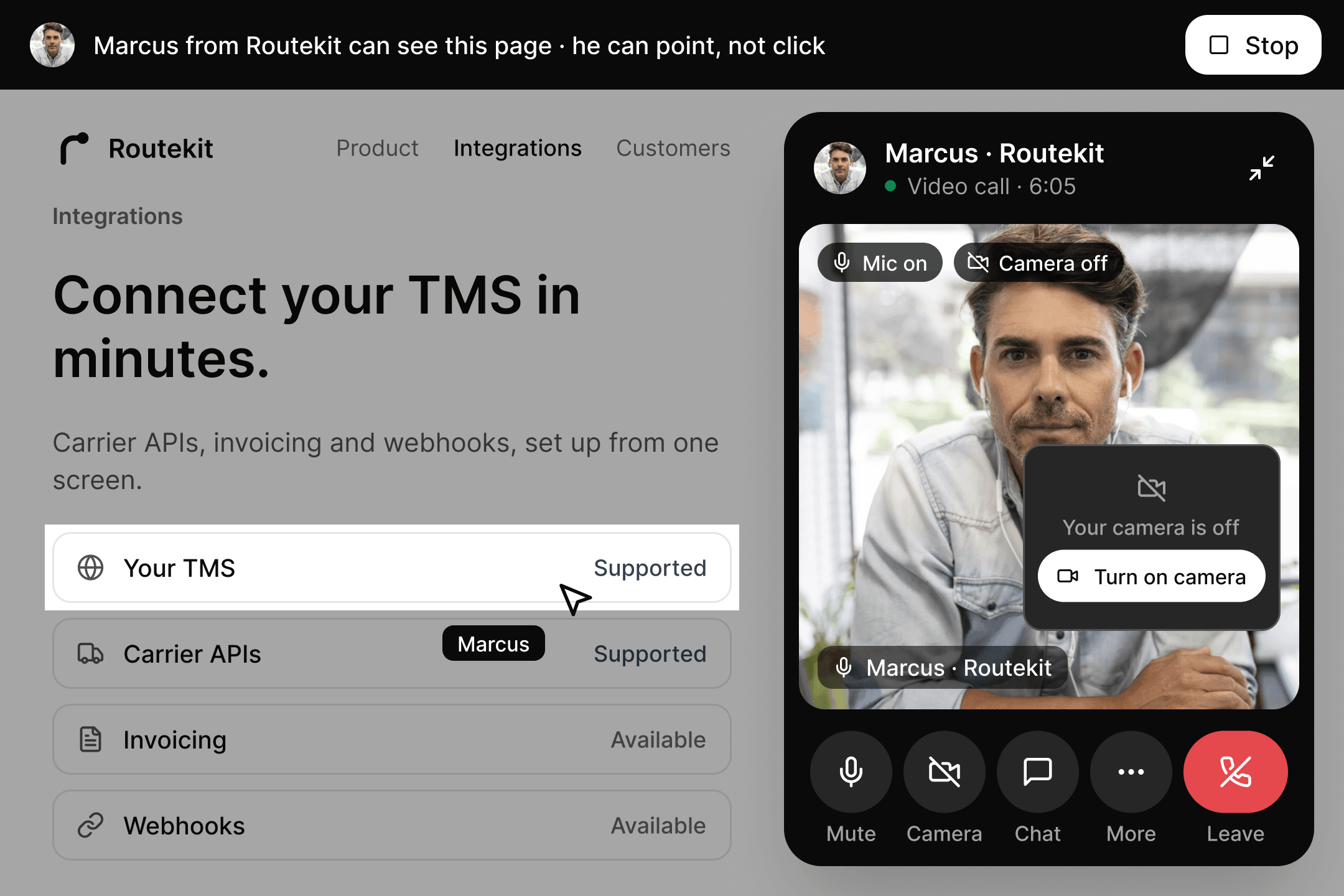
Co-browsing with clear boundaries. The visitor stays in control at every step.
Marcus from Routekit can see this page · he can point, not clickStopConnect your TMS in minutes.
API key

Marcus · Routekit
Video call · 4:12
Marcus is recording this call
Visitor acceptance
Sharing starts only after the visitor accepts a plain-language request.
Visitor control
The visitor can end the shared page at any moment, from the widget.
Hidden inputs
Sensitive input values are not shared with your team.
Point and draw only
Your team can point, highlight and draw. It cannot click or type.
Recording only by choice
A call is recorded only when your teammate starts it, and the visitor is told.
The visitor decides. Your team sees only the shared page.
Before anything is shared, the visitor sees who is asking, what they can do and what they cannot. Sharing can be stopped at any time from the same place.


Every conversation becomes a record. Threads, files and transcripts, kept per buyer.
Contact details once shared, and every visit, thread and call.
Recorded calls come with a transcript and an AI summary, not a separate drive.
Workspace data follows your retention choices and the DPA return and deletion process.

How sales teams use it. From the pricing page to a call.


 Thomas Lane · Lane FreightOnline · Pricing page · 4th visit
A call while the buyer is still reading. Marcus offers, Thomas accepts in his browser.
- 10:04 AMFourth visit to the pricing page
- 10:06 AMMarcus calls, Thomas accepts
- 10:15 AMTrial set up together
Most buying questions are small. Left unanswered, they still cost the sale.
GreetDock lets your sales team answer them in the same visit: in chat, on a call, or on the buyer’s own page with consent. Every conversation stays in one record.
Built in Vilnius, Lithuania by a two-person team. We read every application ourselves.
Through the demo form
Answered on Thursday, two days after he asked
- Tue 10:04 AMForm sentName, work email, team size
- Wed 9:40 AMReply: pick a timeFirst free slot: Thursday
- Thu 3:00 PMDemo callQuestion answered
at minute 12
The same five minutes, zoomed in
- 10:04 AMAsks in the chatOn /integrations
- 10:05 AMMarcus answersIn the same thread
- 10:06 AMVideo callIn the same tab, camera off
- 10:09 AMYour TMS, on his pageMarcus points at it
In the same visit
Answered at 10:09 AM, five minutes after he asked
Through the demo form
Two days
Answered on Thursday, two days after he asked
- Tue 10:04 AMForm sentName, work email, team size
- Wed 9:40 AMReply: pick a timeFirst free slot: Thursday
- Thu 3:00 PMDemo callQuestion answered
at minute 12
Five minutes
In the same visit
Answered at 10:09 AM, five minutes after he asked
The same five minutes, zoomed in
- 10:04 AMAsks in the chatOn /integrations
- 10:05 AMMarcus answersIn the same thread
- 10:06 AMVideo callIn the same tab, camera off
- 10:09 AMYour TMS, on his pageMarcus points at it
An example visit. Routekit and Lane Freight are fictional.
Connect your AI tools to your records. Over MCP, with read-only tokens.
Ask a question in your own words. The answer comes from your conversations and transcripts.
Your own AI tool reads a buyer's full history before it drafts a follow-up. Nothing is written back to GreetDock.
Each connection gets its own read-only token. Revoke it at any time. Nothing is written back.
Before you join. What sales teams ask before a trial.
Comparing tools? GreetDock vs Chili Piper, vs Intercom, vs Drift or all comparisons.
Showing 1 / 4